
LinkedIn Company Feed for Joomla Display LinkedIn company posts, images and videos on your Joomla website — automatically, with no API key or coding required
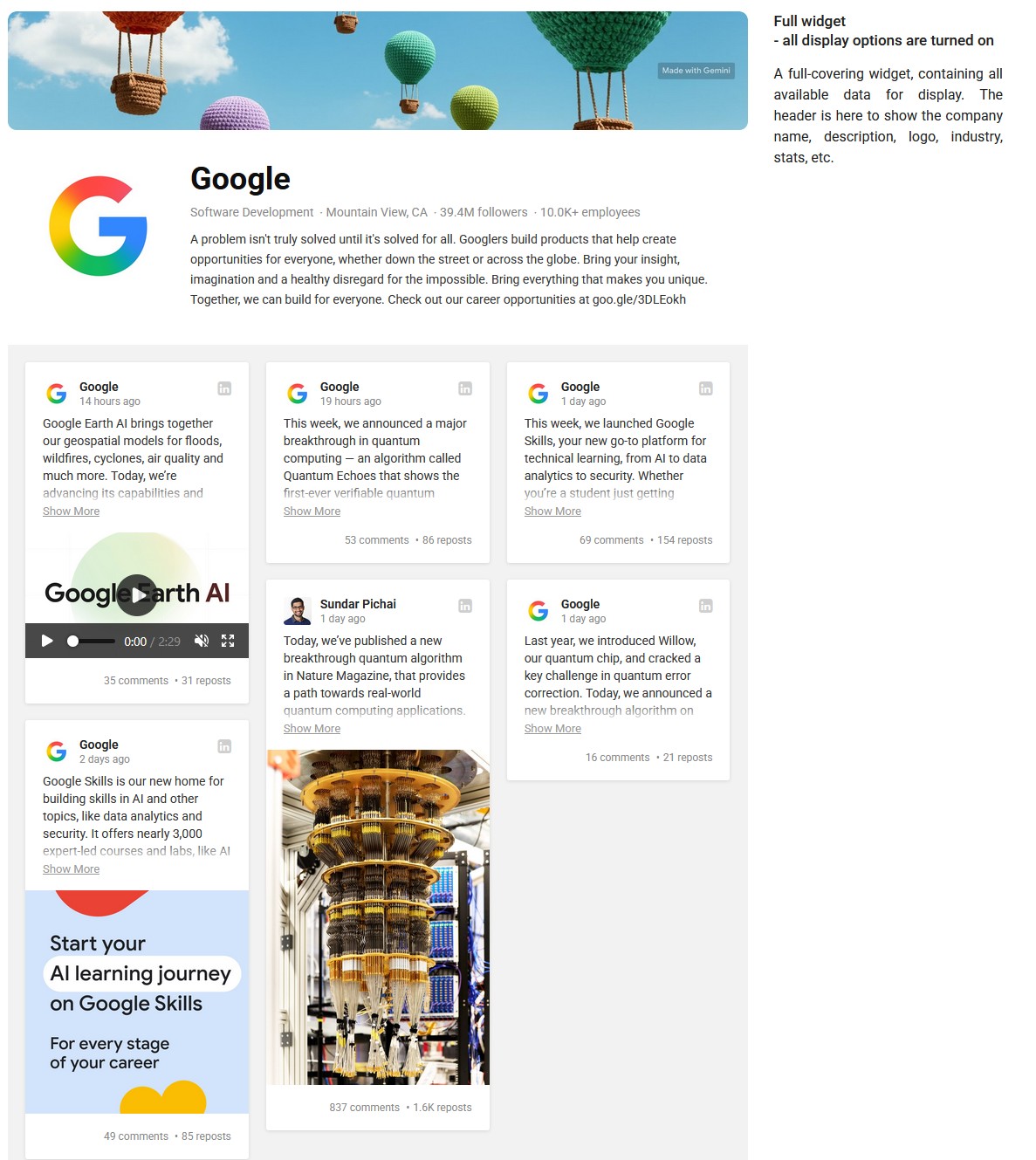
LinkedIn Company Feed is a Joomla extension for displaying posts, images, videos and company information from a LinkedIn Company Page directly on your website, with automatic updates, flexible layouts and no LinkedIn API key required.
- ✅ Display LinkedIn Company posts, images and videos
- ✅ No LinkedIn API key or developer application required
- ✅ Automatic LinkedIn Company feed updates
- ✅ GDPR-Friendly Media Loading
- ✅ Grid, Masonry and Slider layouts
- ✅ Visual builder with instant preview
Display LinkedIn Company Posts on Your Joomla Website
Bring your LinkedIn Company Page content directly to your Joomla website. LinkedIn Company Feed automatically retrieves your company posts and displays them in a customizable feed, helping you keep your website connected with your latest LinkedIn activity without manually copying content.
Simply enter the URL of your LinkedIn Company Page, customize the widget and place it wherever you need it on your Joomla website.
Turn Your LinkedIn Activity Into Website Content
If your company already publishes news, announcements, events, achievements or industry updates on LinkedIn, the same content can also become part of your website.
LinkedIn Company Feed helps you reuse content you already create and keep important areas of your Joomla website current with your company's latest activity.
🔑 No LinkedIn API Key Required
You do not need to create a LinkedIn developer application, configure API credentials or work with the LinkedIn API yourself.
Enter the URL of the LinkedIn Company Page you want to display and configure the widget through the extension interface. No coding skills are required.
🛡️ GDPR-Friendly Media Loading
LinkedIn Company Feed supports GDPR-Friendly Media Loading, an AllForJoomla technology that can download external media to your Joomla server and serve those files locally instead of loading them directly from third-party media servers in your visitors' browsers.
When the GDPR-Friendly mode is selected, locally stored media is delivered from your own website, so the visitor's browser does not need to contact the original third-party media server to retrieve those files.
Learn how GDPR-Friendly Media Loading works and why local media delivery can help reduce unnecessary third-party connections.
🔄 Automatic LinkedIn Company Feed
Keep your Joomla website connected with your LinkedIn Company Page without manually adding every new post.
The extension retrieves updated content from the configured company page automatically, allowing your website feed to reflect your latest LinkedIn activity.
🎬 Posts, Images and Videos
LinkedIn Company Feed can display post text together with available media, including images and videos, so your Joomla visitors can see more than a simple list of links to LinkedIn.
You can also control which parts of each post are visible to match the purpose and design of your website.
🏢 LinkedIn Company Information
In addition to posts, the widget can display information about your LinkedIn Company Page, including:
- Cover image
- Company logo
- Company name
- Description
- Industry
- Location
- Available follower and employee statistics
Individual company information elements can be enabled or disabled, giving you control over how much of the LinkedIn company profile appears above the feed.
📐 Grid, Masonry and Slider Layouts
Choose the presentation that works best for the page where the feed will appear.
- ✅ Grid — display posts in a structured multi-column layout
- ✅ Masonry — arrange posts naturally when their content has different heights
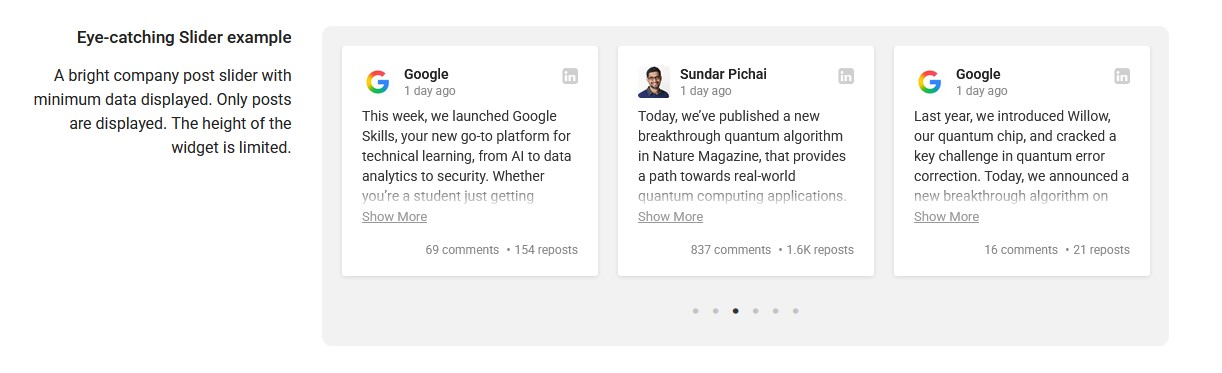
- ✅ Slider — let visitors browse posts in a compact sliding layout
Columns, spacing and other layout settings can be adjusted directly in the widget builder.
📱 Fully Responsive Layout
Configure responsive breakpoints and choose how many columns should be displayed on different screen sizes.
This allows the LinkedIn feed to adapt to desktop, tablet and mobile layouts while giving you control over how the content is arranged on each device.
⚙️ Control What Each Post Displays
Choose which post elements should appear in your LinkedIn feed, including:
- Author picture
- Author name
- Publication date
- Link to LinkedIn
- Post media
- Available post statistics
The extension can also detect links inside post text, allowing URLs contained in LinkedIn posts to remain useful when the content is displayed on your website.
🔍 Include or Exclude Posts by Keyword
Not every LinkedIn post has to appear everywhere on your website.
Keyword filtering allows you to include or exclude posts based on their content or author name. This makes it possible to create more focused feeds for particular pages, topics or audiences.
For example, one widget can display posts related to events while another displays company news, using the same LinkedIn Company Page as the source.
🎨 Default and Dark Themes
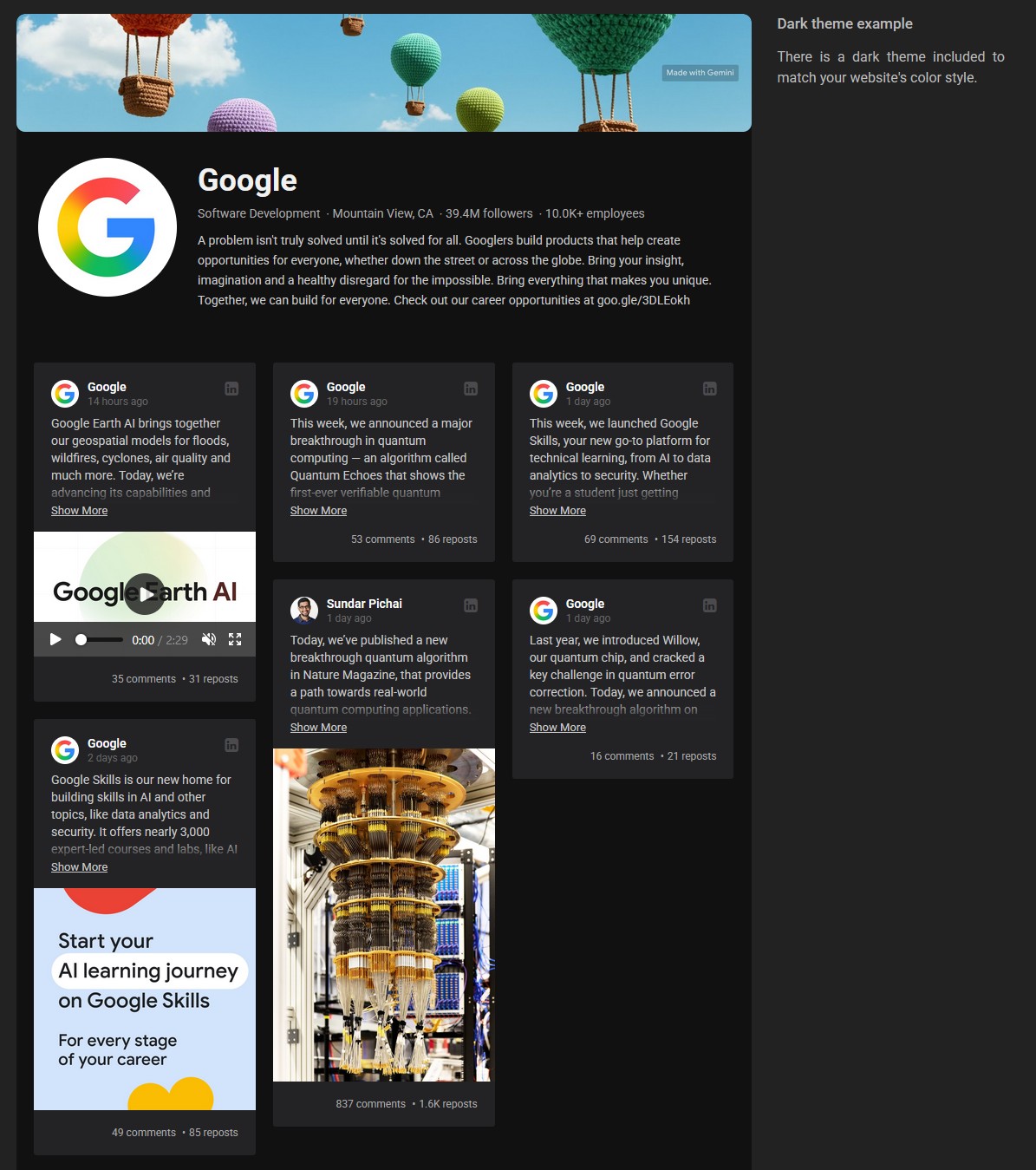
Choose between the built-in Default and Dark themes to better match the appearance of your Joomla website.
Theme selection works together with the layout and display controls, allowing different widgets to have different configurations across the same website.
👀 Visual Builder with Instant Preview
Configure the LinkedIn feed through the integrated visual builder and see the result while you work.
Company information, post elements, layouts, responsive settings and appearance can be adjusted without writing custom code.
📍 Place Your LinkedIn Feed Anywhere in Joomla
Each configured widget generates its own shortcode. Copy the shortcode and place it where you want the LinkedIn Company feed to appear.
You can use LinkedIn Company Feed in:
- ✅ Joomla articles
- ✅ Custom HTML modules
- ✅ Templates and custom layouts
You can create multiple widgets with independent configurations and use them in different parts of the same Joomla website.
🧩 Built Specifically for Joomla
LinkedIn Company Feed is a Joomla extension designed specifically for integrating LinkedIn Company Page content into Joomla websites.
There is no need to build your own LinkedIn integration or manually embed individual posts. Install the extension, configure your company page, customize the widget and place its shortcode on your website.
💼 Why Display Your LinkedIn Company Feed on Joomla?
- ✅ Keep your website current — reuse recent LinkedIn activity without manually recreating each post.
- ✅ Show company activity — display news, announcements, events, achievements and industry updates already published on LinkedIn.
- ✅ Get more value from existing content — make your LinkedIn content useful to visitors who may never visit your LinkedIn page.
- ✅ Connect your website with your LinkedIn presence — give visitors another way to discover your company's social activity.
- ✅ Customize without coding — control the layout, responsive behavior, company information and post elements through the visual builder.
🚀 Easy to Set Up
- Install LinkedIn Company Feed on your Joomla website.
- Enter your LinkedIn Company Page URL.
- Customize the feed using the visual builder.
- Copy the generated shortcode.
- Place the shortcode where you want the LinkedIn feed to appear.
No LinkedIn API key, LinkedIn developer application or custom coding is required.
📊 Daily Data Update Limit
LinkedIn Company Feed can update data from up to 10 LinkedIn Company Pages per domain per day. This limit applies to data updates, not to how many times the feed can be displayed or viewed by website visitors.
Once the LinkedIn content has been retrieved, it can be displayed on your Joomla website without additional data update requests each time a visitor opens the page.
❓ Frequently Asked Questions
Can I display LinkedIn Company posts on a Joomla website?
Yes. LinkedIn Company Feed displays posts from a LinkedIn Company Page directly on your Joomla website, including post text, images, videos and available post information.
Do I need a LinkedIn API key?
No. LinkedIn Company Feed does not require you to create a LinkedIn developer application or configure LinkedIn API credentials. You only need the URL of the LinkedIn Company Page you want to display.
Does the LinkedIn feed update automatically?
Yes. The extension automatically retrieves updated content from the configured LinkedIn Company Page, so you do not need to manually add every new LinkedIn post to Joomla.
Can I customize the LinkedIn feed layout?
Yes. You can choose Grid, Masonry or Slider layouts, configure columns and responsive breakpoints, select the Default or Dark theme, and control which company and post elements are displayed.
Can I display only selected LinkedIn posts?
Yes. Keyword filtering lets you include or exclude posts based on post content or author name, allowing you to create more focused LinkedIn feeds.
Where can I display the LinkedIn feed in Joomla?
Each widget generates a shortcode that can be placed in Joomla articles, Custom HTML modules, templates and custom layouts. You can also create multiple widgets with different configurations for different parts of your website.
🔗 Bring Your LinkedIn Company Content to Joomla
LinkedIn Company Feed gives you a practical way to reuse your company's LinkedIn activity on your Joomla website. Display posts, images, videos and company information, keep the feed updated automatically, control which content appears and customize the presentation without working with the LinkedIn API or writing custom code.
Reviews: 2
Nick Kordova
LinkedIn Company Feed is the best LinkedIn extension for Joomla I've found.
Sun Will
This extension is AWESOME!
- Added Joomla 6.2.x compatibility
- Added translations: Čeština, Dansk, Deutsch, Español, Français, हिन्दी, Italiano, Nederlands, Polski, Português, 中文
- Added GDPR-Friendly Media Loading mode
- Minor fixes
- Added Joomla 6.1.x compatibility
- Minor fixes
- Fixed company URL parsing
- Small fixes
- Fixed "Call to undefined method... _getMediaURI" error
- Added Joomla 6.x support without compatibility plugin
- Maintenance Update
- Fixed error message upon installation on Joomla 5 and 6
- Added Joomla 6.x support
Please log-in to get access to the support.