
Tripadvisor Reviews Pro The Best Tripadvisor Reviews/Recommendations plugin for Joomla
Tripadvisor Reviews Pro is a Joomla extension for displaying Tripadvisor business reviews, ratings and business information directly on your website. Create customizable review widgets, choose which reviews to show and adapt their layout and appearance to your Joomla website — no Tripadvisor API key or coding required.
- ✅ Display Tripadvisor reviews, ratings and business information
- ✅ No Tripadvisor API key required
- ✅ Filter reviews by rating and keywords
- ✅ Grid, Masonry and Slider layouts
- ✅ Customizable responsive design with live preview
- ✅ GDPR-Friendly Media Loading
⭐ Display Tripadvisor Reviews on Joomla
Show Tripadvisor reviews directly on your Joomla website together with useful information about the business. Simply enter the URL of the Tripadvisor business page and configure how the reviews should be presented.
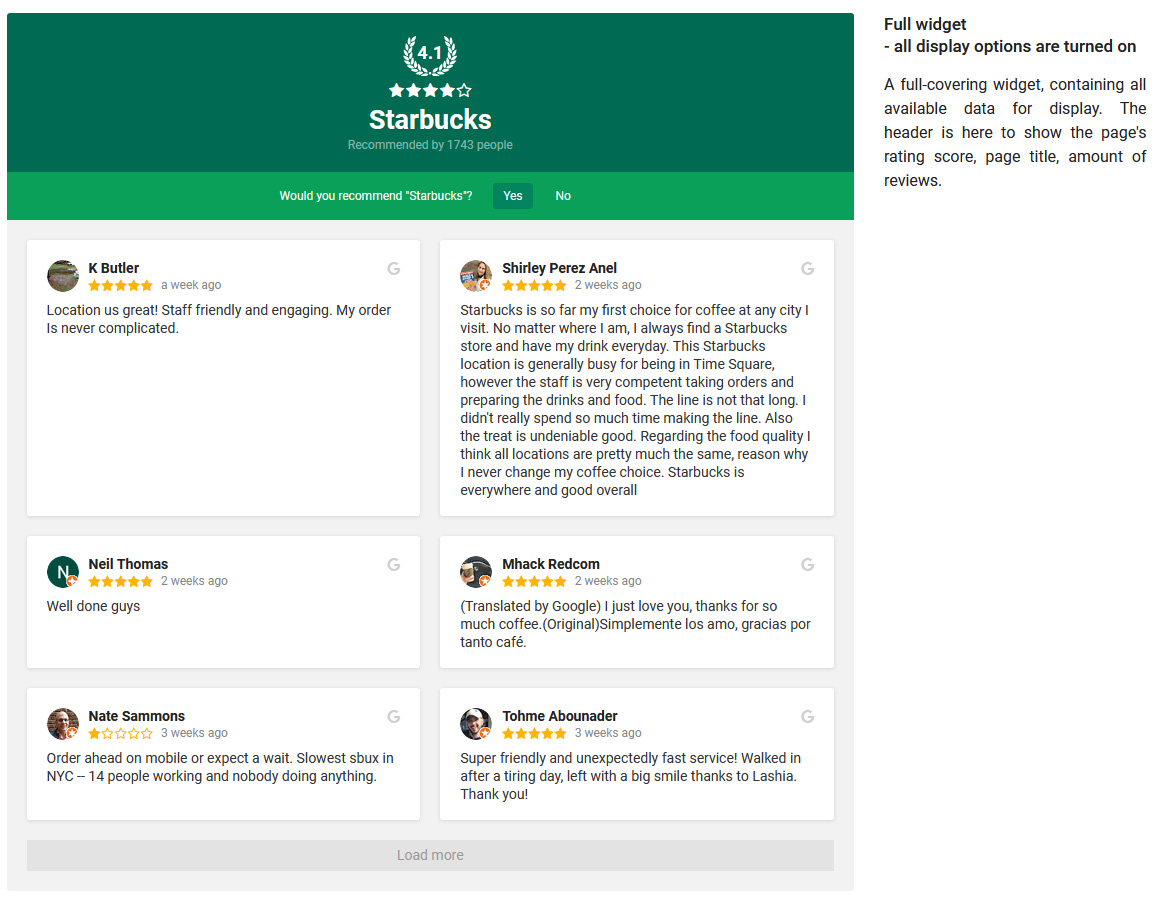
The widget can display the business name, overall Tripadvisor rating, total number of reviews and individual customer reviews, giving visitors an overview of the business and its customer feedback without requiring you to manually copy review content.
🔑 No Tripadvisor API Key Required
You do not need to obtain or configure a Tripadvisor API key. Enter the URL of the Tripadvisor business page you want to display and Tripadvisor Reviews Pro handles the data retrieval for you.
No coding or external API configuration is required, making it easy to add Tripadvisor reviews to an existing Joomla website.
🔍 Filter Tripadvisor Reviews
Control which reviews appear in the widget using several filtering options. You can select a minimum rating, include or exclude reviews containing particular keywords, control whether reviews without text are displayed and limit the total number of reviews.
- ✅ Set the total number of reviews to display
- ✅ Select a minimum review rating
- ✅ Include reviews containing specified keywords
- ✅ Exclude reviews containing specified keywords
- ✅ Show or hide reviews without text
Keyword filtering checks the review text or author name, providing additional control over the review content displayed on your website.
🎨 Grid, Masonry and Slider Layouts
Choose from three layouts for presenting Tripadvisor reviews: Grid, Masonry and Slider.
- ✅ Grid — arrange reviews in a structured multi-column layout
- ✅ Masonry — arrange reviews of different lengths in a flexible masonry layout
- ✅ Slider — present reviews in an interactive review carousel
The Slider layout also supports autoplay with a configurable autoplay speed.
📱 Responsive Layout Controls
Control the number of columns, items per page and spacing between reviews. Custom responsive breakpoints let you specify how many columns should be displayed at different screen widths, allowing the Tripadvisor review widget to adapt to desktop, tablet and mobile screens.
🖌️ Three Review Styles
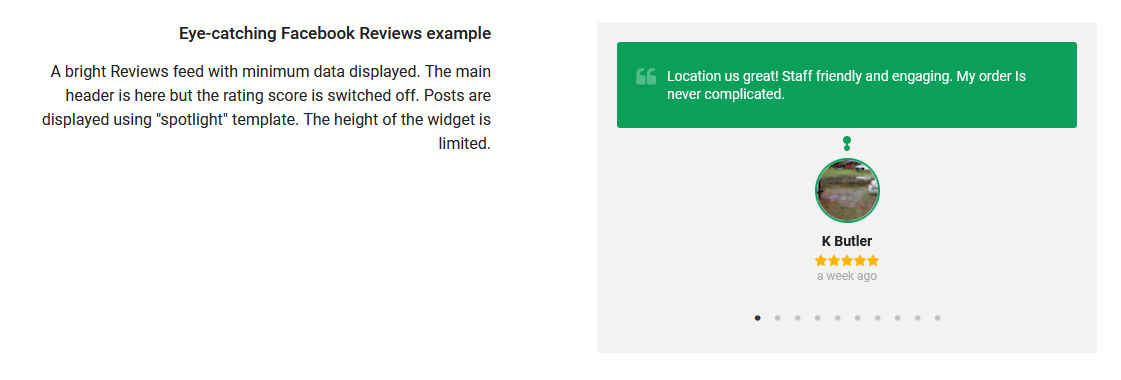
Choose how individual reviews look independently from the selected layout. Tripadvisor Reviews Pro includes three review styles: Box, Spotlight and Card.
You can customize which review elements are displayed, including the author picture, author name, rating, review date and link to the original review on Tripadvisor. Additional options let you adjust the accent color and limit the visible height of long review text.
When review text is limited, visitors can expand it to continue reading without requiring every long review to occupy its full height in the widget.
⭐ Display Tripadvisor Business Information
Add a business header above the reviews to show important information about the Tripadvisor business. The header can display the business name, overall rating and total number of reviews.
Individual elements can be shown or hidden, and the business name can link to the corresponding Tripadvisor page. Background and text colors can also be customized to integrate the header with your website design.
💬 Encourage Customers to Leave a Review
Add a review request to the widget to encourage customers to leave their own feedback on Tripadvisor. The review request can be enabled or disabled, customized with your own text and adapted visually using the available color settings.
This provides a direct path from the reviews displayed on your Joomla website to the business page where customers can submit their own Tripadvisor review.
👁️ Live Widget Preview
Customize the widget through a visual interface with live preview. Changes to the layout, review style, filtering, colors and display options can be previewed while configuring the widget, making it easier to create the desired result before publishing it on your website.
🌗 Light and Dark Themes
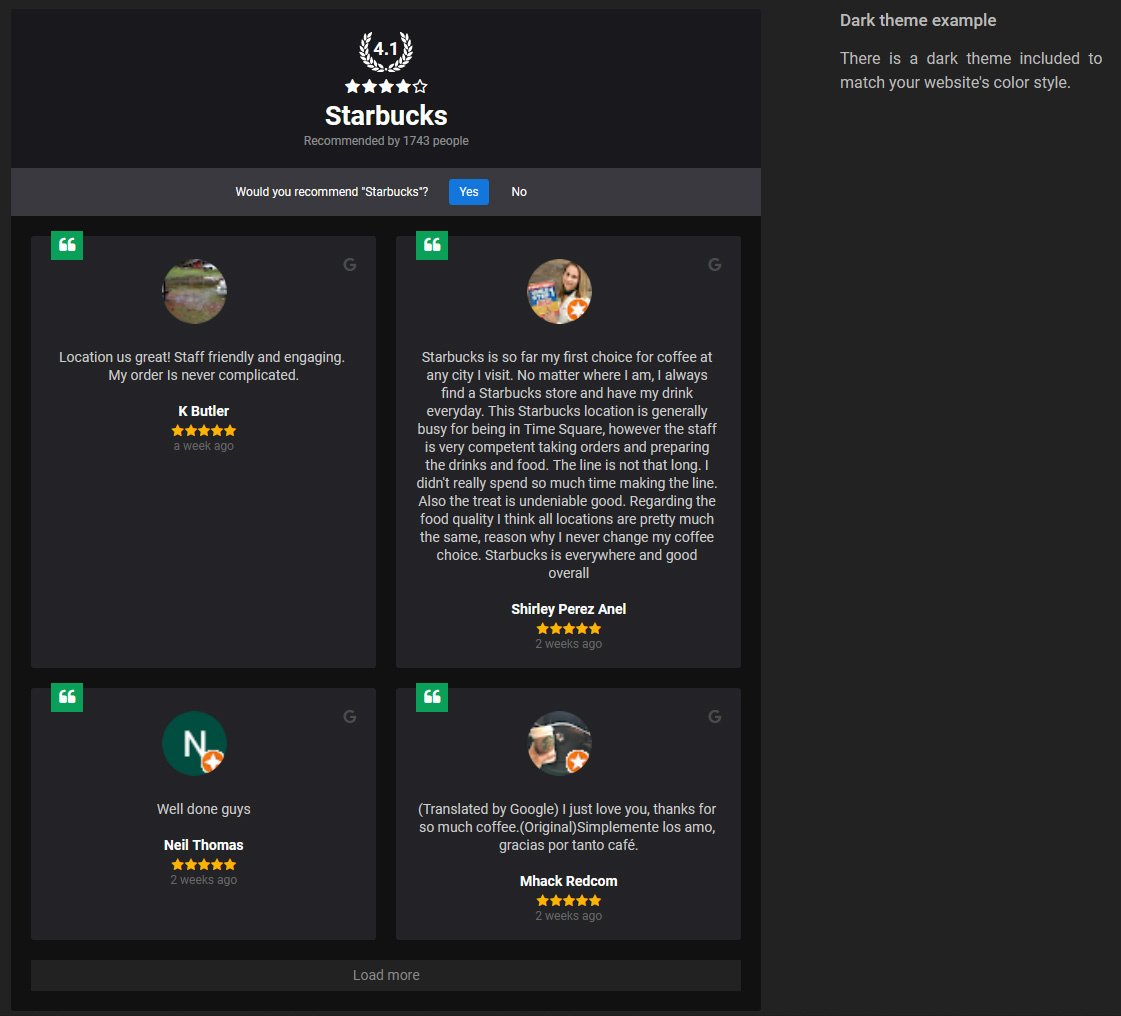
Choose between the Default and Dark themes as a starting point for the widget appearance. Additional layout, style and color settings provide more detailed control over how Tripadvisor reviews integrate with your Joomla template.
🛡️ GDPR-Friendly Media Loading
Tripadvisor Reviews Pro supports GDPR-Friendly Media Loading, allowing supported media used by the widget to be downloaded and served from your own Joomla website instead of being loaded directly from third-party media servers in visitors' browsers.
This helps reduce direct connections between website visitors and external media servers when Tripadvisor review content is displayed. Learn more about how this works in our GDPR-Friendly Media Loading for Joomla guide.
🧩 Create Multiple Tripadvisor Review Widgets
Create multiple Tripadvisor review widgets and configure each one independently. Different widgets can use their own Tripadvisor business source, review filters, layout, review style and display settings, allowing you to create different review presentations for different areas of your Joomla website.
Daily Data Update Limit
Tripadvisor Reviews Pro supports up to 10 data updates per domain per day. This limit applies to data updates, not to page views or the number of times visitors can see the widget.
After the daily update limit is reached, already retrieved data remains available and widgets continue displaying their cached data. The update limit resets for the next daily update period.
Frequently Asked Questions
Do I need a Tripadvisor API key?
No. Tripadvisor Reviews Pro does not require you to obtain or configure a Tripadvisor API key. You only need the URL of the Tripadvisor business page you want to display.
Can I filter which Tripadvisor reviews are displayed?
Yes. You can select a minimum rating, include or exclude reviews containing specified keywords, choose whether reviews without text are displayed and control the total number of reviews.
Can I filter Tripadvisor reviews by keyword?
Yes. Reviews can be included or excluded based on specified keywords. Keyword filtering checks both the review text and the author name.
Which Tripadvisor review layouts are available?
Tripadvisor Reviews Pro includes Grid, Masonry and Slider layouts. The Slider layout also supports optional autoplay with configurable speed.
Can I customize the appearance of individual reviews?
Yes. You can choose between Box, Spotlight and Card review styles and control elements such as the author picture, author name, rating, review date, original Tripadvisor link, accent color and review text height.
Is the Tripadvisor reviews widget responsive?
Yes. You can configure responsive breakpoints and specify how many columns should be displayed at different screen widths.
Can I display the Tripadvisor business rating and review count?
Yes. The customizable business header can display the business name, overall Tripadvisor rating and total number of reviews.
Can visitors leave a Tripadvisor review from the widget?
You can display a customizable review request that directs visitors to Tripadvisor, where they can leave their own feedback for the business.
Can I create multiple Tripadvisor review widgets?
Yes. You can create multiple widgets and configure their business source, review filtering, layout, review style and other display options independently.
Can Tripadvisor media be served locally from my Joomla website?
Yes. With GDPR-Friendly Media Loading, supported media can be downloaded and served from your own Joomla website instead of being requested directly from third-party media servers by the visitor's browser.
Reviews: 2
Sonja D.
Jack Hoffman
EXCELENT!!!
- Added Joomla 6.2.x compatibility
- Added translations: Čeština, Dansk, Deutsch, Español, Français, हिन्दी, Italiano, Nederlands, Polski, Português, Türkçe, 中文
- Small CSS fixes
- Minor fixes
- Added Joomla 6.1.x compatibility
- Fixed no-avatar display
- Changed reviews count display
- Fixed "Call to undefined method... _getMediaURI" error
- Added Joomla 6.x support without compatibility plugin
- Maintenance Update
- Fixed error message upon installation on Joomla 5 and 6
- Added Joomla 6.x support
- Added Joomla 5.4.x support
- Improved checks upon installation process
- Small fixes
- API server request headers changed
- Added Joomla 5.3.x compatibility
- Initial release
Please log-in to get access to the support.