
Displaying customer reviews on your Joomla site is never as simple as it sounds. You want to inspire trust and drive action, but figuring out which review sources matter, how to integrate them, and which tools deliver real value can quickly become overwhelming. One wrong choice could cost you credibility or sales.
The good news is, there are proven ways to use trusted online reviews that make customers more confident in your business. By leveraging feedback from Google, Facebook, and TripAdvisor, you can show verified buyer experiences that help visitors decide, while new moderation and customization tools make managing those reviews easier.
If you want practical steps for building audience trust and capturing quality feedback, you are in the right place. The list ahead reveals how to harness the power of user reviews on your Joomla site, using specific solutions for real results you and your team will notice.
Table of Contents
- 1. Choosing The Right Review Plugin For Your Joomla! Site
- 2. Integrating Google Reviews For More Trust And Credibility
- 3. Leveraging Facebook Reviews For Social Proof
- 4. Adding Tripadvisor Reviews To Enhance Local Appeal
- 5. Enabling Custom Review Forms For Unique Feedback
- 6. Using Automated Moderation For Better Review Management
Quick Summary
| Takeaway | Explanation |
|---|---|
| 1. Choose the right review plugin | Select a plugin that integrates easily with your Joomla site and supports important review sources like Google and Facebook. |
| 2. Highlight Google reviews prominently | Integrating Google reviews builds trust with customers, improves search visibility, and increases conversion rates by displaying social proof. |
| 3. Leverage Facebook reviews for credibility | Displaying Facebook reviews enhances your brand’s authenticity and builds community among potential customers who trust social connections. |
| 4. Use TripAdvisor for local appeal | TripAdvisor reviews are valuable for attracting travelers; showcasing them enhances credibility and helps in local search visibility. |
| 5. Implement custom review forms | Custom forms allow you to gather specific, actionable feedback that informs business decisions and product improvements. |
1. Choosing the Right Review Plugin for Your Joomla! Site
Selecting a review plugin feels straightforward until you realize how many options exist. Your choice directly impacts customer trust, engagement, and how potential clients perceive your business.
Start by identifying what reviews matter most to your business. Are you collecting feedback from Google, Facebook, or TripAdvisor? Different review sources carry different weight depending on your industry.
Consider these key factors when evaluating plugins:
- Integration ease: Can you set it up without hiring a developer?
- Review sources supported: Does it connect to the platforms your customers actually use?
- Customization options: Can you match the plugin design to your brand?
- Automation features: Does it automatically pull reviews or require manual updates?
- Display flexibility: Can you showcase reviews on multiple pages or just your homepage?
The right review plugin should feel invisible to your setup process while delivering visible results in customer engagement.
Your business size and technical comfort level matter significantly. Small business owners typically need something that works immediately without extensive configuration. Larger operations might want advanced filtering, moderation tools, or multiple review source aggregation.
Think about your audience too. If most customers search for you on Google, a plugin featuring Google review integration becomes essential. Mobile users expect easy review browsing, so test how plugins display on smartphones before deciding.
Review volume matters as well. A plugin handling 50 reviews monthly differs dramatically from one managing 500. Check performance specifications to ensure your choice scales with growth.
Budget considerations are real. Free plugins exist, but premium options typically offer better automation, support, and advanced features that save you time managing reviews manually.
Pro tip: Test your top two plugin choices on a staging site first, then gather feedback from team members on ease of use, appearance, and functionality before installing on your live site.
2. Integrating Google Reviews for More Trust and Credibility
Google reviews carry enormous weight in online purchasing decisions. When potential customers see verified reviews on your Joomla site, they’re more likely to trust your business and complete a purchase.
Why does this matter? Research shows online reviews significantly influence consumer decisions, particularly for higher-priced items. Displaying Google reviews directly on your website increases conversion rates because shoppers see social proof right where they need it.
Verified buyer reviews pack more punch than anonymous feedback. A customer who actually purchased from you carries more credibility than a nameless commenter. Your Joomla site benefits from showcasing this authentic feedback prominently.
Here’s what Google review integration accomplishes for your business:
- Builds immediate trust with first-time visitors
- Improves search visibility through fresh user-generated content
- Increases conversion rates by reducing purchase hesitation
- Differentiates you from competitors lacking reviews
- Reduces support inquiries by answering common questions through reviews
Displaying positive reviews from verified customers directly on your website transforms them from hidden Google ratings into visible conversion tools.
The integration process requires minimal technical effort when using the right plugin. Your Joomla site pulls reviews automatically from your Google Business Profile, eliminating manual updates.
Consider placement carefully. Homepage placement impacts first impressions immediately. Product pages help shoppers make specific purchasing decisions. Trust badges and review counts work across multiple pages without overwhelming your design.
Rating distribution matters too. Showing your star rating alongside comment counts provides instant credibility signals. A site displaying 4.8 stars from 237 verified reviews sends powerful trust signals to potential customers.
Fresh reviews signal active business engagement. Plugins that display “posted 2 days ago” or “posted last week” prove your business remains current and responsive to customer feedback.
Pro tip: Respond publicly to all reviews, especially critical ones, then display your responses alongside the reviews on your Joomla site to demonstrate commitment to customer satisfaction.
3. Leveraging Facebook Reviews for Social Proof
Facebook reviews tap into a massive audience already spending time on the platform daily. Your potential customers often check your Facebook page before visiting your website, making these reviews incredibly valuable for conversion.
Why Facebook reviews matter more than you might think. Facebook users trust reviews from people within their social network. When someone sees their friend or connection left a positive review, that carries enormous weight in purchasing decisions.
Your Joomla site gains credibility by displaying these Facebook reviews prominently. Visitors recognize Facebook’s verification system adds authenticity. A review from a real Facebook profile with a profile picture proves a genuine person made the purchase.
Facebook reviews deliver specific advantages for small to medium businesses:
- Reach engaged audiences already active on Facebook daily
- Leverage social connections through visible reviewer profiles
- Gather demographic insights about who reviews your business
- Create shareable content when customers tag friends
- Build community around your brand on the platform
Facebook reviews transform casual social media browsers into invested community members who actively vouch for your business.
The integration process pulls reviews directly from your Facebook Business Page into your Joomla site. Updates happen automatically without manual intervention. Your website always displays current ratings and fresh feedback.
Consider your audience composition carefully. If your customers skew younger or use social media heavily, Facebook reviews become a cornerstone of your strategy. Older demographics or B2B clients might value Google or industry-specific reviews more.
Displaying reviewer names and profile pictures creates familiar touchpoints. People see faces attached to experiences, strengthening emotional connections. A mother reviewing your product feels more authentic than anonymous text.
Facebook’s rating system provides clear star counts visitors can scan instantly. The combination of ratings plus comments tells a complete story about your business quality and customer service.
When integrating with AllForJoomla’s review plugins, you can customize how Facebook reviews appear. Choose grid layouts, carousel formats, or list styles matching your site design perfectly.
Pro tip: Encourage Facebook reviews by mentioning them in thank-you emails and post-purchase messages, then display the highest-rated reviews on your homepage to maximize visibility.
4. Adding Tripadvisor Reviews to Enhance Local Appeal
TripAdvisor reviews carry special weight for local businesses attracting travelers and tourists. Your Joomla site gains massive credibility by displaying reviews from millions of global travelers who visit the platform specifically to research local experiences.
Why TripAdvisor matters for your business. Travelers trust TripAdvisor more than many other review platforms because reviews come from real people who spent money at your location. The platform’s verification system ensures genuine customer experiences, not fabricated feedback.
Local businesses benefit tremendously from TripAdvisor integration. Whether you run a restaurant, hotel, attraction, or service business in a tourist area, displaying these reviews attracts visitors actively planning trips. Authentic reviews significantly influence tourists’ decisions about where to spend their money.
TripAdvisor reviews showcase diverse expertise levels and perspectives. Some reviewers visit dozens of similar establishments yearly, offering expert comparisons. Others visit once and share fresh perspectives. This variety appeals to different visitor types researching your business.
Key benefits of displaying TripAdvisor reviews on your Joomla site:
- Attract vacation planners actively researching local options
- Build geographic credibility through traveler feedback
- Display authentic experiences from verified visitors
- Leverage international perspectives from global audiences
- Improve local search visibility with fresh user content
TripAdvisor reviews transform your Joomla site into a trusted destination guide, convincing hesitant travelers to choose your business.
Quality and quantity both matter for TripAdvisor success. Strategic review management enhances business performance by demonstrating consistent service quality. More reviews signal active business operations and customer satisfaction.
Displaying review excerpts creates trust instantly. Quotes like “Best dining experience of our vacation” or “Staff went above and beyond” provide specific social proof. Visitors see tangible reasons choosing your business benefits them.
Consider geographic reach when displaying TripAdvisor reviews. Showcase comments mentioning your location’s unique aspects. A review mentioning “beautiful mountain views” or “authentic local cuisine” attracts similarly motivated travelers.
Review freshness signals active operations. Recent reviews prove your business remains current and responsive. Older reviews still matter, but current feedback demonstrates ongoing quality.
Pro tip: Feature your highest-rated TripAdvisor reviews prominently on your homepage and service pages, then update them monthly to showcase fresh feedback and maintain visitor confidence.
5. Enabling Custom Review Forms for Unique Feedback
Standard review forms capture basic ratings and comments, but your business likely needs more specific information. Custom review forms let you ask targeted questions that reveal actionable feedback your team actually uses.
Why generic forms fall short for most businesses. A restaurant needs different feedback than a software company. A fitness studio wants different data than a consulting firm. Your Joomla site deserves forms matching your specific needs.
Custom fields in Joomla enable flexible feedback collection without requiring programming knowledge. You control exactly what information visitors provide. Text inputs, dropdown menus, checkboxes, and rating scales all customize your forms.
Custom forms improve response quality dramatically. When you ask specific questions, you get specific answers. A hotel asking “Which amenities impressed you most?” learns what drives future bookings. Generic forms asking “How was your stay?” provide vague feedback.
Consider what unique information drives your business decisions:
- Identify pain points customers experience with your service
- Learn product preferences customers value most
- Understand decision factors influencing purchase choices
- Gather demographic data about your customer base
- Collect feature requests your team can act upon
Custom review forms transform feedback from nice-to-have compliments into strategic business intelligence your team uses weekly.
Conditional field display keeps forms streamlined. If someone rates your service low, show follow-up questions about specific issues. High ratings can skip detailed questions. Visitors complete shorter forms matching their experience.
Field grouping organizes information logically. Group product questions together, service quality questions separately, and follow-up items in their own section. Organized forms feel less overwhelming.
Use rating scales strategically. Instead of just star ratings, ask “How likely to recommend?” or “Would you use again?” These action-oriented scales provide clearer insights than generic satisfaction ratings.
Text input fields capture detailed reasoning. Ask “What could we improve?” and visitors reveal blind spots. Open-ended questions provide quotes you can use in marketing or share with your team.
Checkbox fields let visitors select multiple relevant options. Ask “Which features did you use?” and learn actual product adoption patterns. This data guides future development priorities.
Pro tip: Test your custom form with three trusted customers first, gathering feedback on clarity and length, then refine before rolling out site-wide to ensure maximum response rates and quality data.
6. Using Automated Moderation for Better Review Management
Manually reviewing every single customer comment becomes overwhelming quickly. Automated moderation systems protect your Joomla site from spam, inappropriate content, and false reviews while saving you countless hours each week.
Why manual moderation fails at scale. When you receive fifty reviews monthly, manual screening works fine. At five hundred reviews monthly, you’re spending days just reading submissions. Automation handles the volume while you focus on strategic responses.
Automated systems use rules you establish to pre-approve or reject reviews instantly. Automated workflows manage content efficiently by filtering reviews based on your custom criteria. Spam gets caught before reaching your site. Genuine feedback displays immediately or waits for quick human approval.
Your business protects reputation through intelligent filtering. Reviews containing profanity, competitor names, or promotional links get flagged automatically. Your site only displays appropriate, credible feedback customers trust.
Automation delivers these practical benefits:
- Reduce moderation time from hours daily to minutes
- Catch spam instantly before it damages credibility
- Prevent fake reviews using verification rules
- Maintain consistent standards across all submissions
- Scale operations as your review volume grows
Automated moderation transforms review management from a time-consuming burden into a streamlined process protecting your reputation.
Rule-based filtering catches common problems automatically. Flag reviews mentioning specific competitors. Reject submissions without verified buyer badges. Block content with excessive capitalization or suspicious language patterns. These rules run continuously without staff involvement.
Verification requirements improve review authenticity. Require email confirmation before reviews display. Check for verified purchase status. Demand phone number verification for detailed reviews. These barriers stop fake submissions while legitimate customers proceed easily.
Spam detection patterns identify problematic content. Automated systems recognize copied reviews appearing multiple times. They catch generic praise that seems templated. Machine learning improves detection accuracy over time.
Quality thresholds maintain standards automatically. Set minimum review length requirements. Flag extremely short submissions. Require specific detail levels for extreme ratings. These standards elevate overall feedback quality.
Approval workflows let genuine reviews display faster. High-quality submissions matching your rules display immediately. Borderline cases wait for quick human review. Flagged content awaits your decision before appearing.
Your team receives smart notifications. Instead of reviewing hundreds of submissions, you see only items needing judgment. Spam is already filtered. Obviously appropriate reviews already published.
Pro tip: Start with basic automation filtering spam and profanity, then gradually add more sophisticated rules like competitor mention detection and review length requirements as you see what problems actually affect your site.
The table below provides a structured summary of considerations, strategies, and benefits for choosing and integrating review plugins for your Joomla! site.
| Aspect | Details | Benefits |
|---|---|---|
| Review Plugin Selection | Evaluate integration ease, supported review sources, display options, and customization features. Test plugins on a staging site before implementation. | A seamless review collection helping build trust and engagement effectively. |
| Google Reviews | Utilize Google review integration directly from the Google Business Profile; strategically display reviews across site pages. | Increases credibility, improves customer trust, and boosts conversion rates. |
| Facebook Reviews | Display Facebook reviews to leverage social connections and create a community feel using verified profiles. | Attracts younger demographics and provides authentic social proof through the platform’s verification mechanism. |
| TripAdvisor Reviews | Showcase reviews from tourists to enhance local appeal and geographic credibility; emphasize unique attributes of services. | Builds confidence among travelers and encourages informed decision-making for local businesses. |
| Custom Review Forms | Design targeted review forms with specific queries to receive detailed feedback tailored to your business. Use conditional logic for form simplification. | Collects actionable insights that can guide business improvements and strategies. |
| Automated Moderation | Implement rule-based automated workflows for review approval and spam detection, similarly enhancing functional efficiency. | Significantly reduces moderation workload and ensures consistent content quality. |
Elevate Your Joomla! Site with the Perfect Review Plugin
Choosing the right review plugin for your Joomla! site is crucial to building trust, engaging customers, and enhancing your online reputation. If you face challenges around integrating Google, Facebook, or Tripadvisor reviews seamlessly while managing automated moderation and custom feedback, there is a solution that simplifies these tasks and scales with your business growth.
AllForJoomla offers premium-quality Joomla! extensions tailored to meet your needs—from easy installation and automated review aggregation to customizable forms that gather actionable insights. With advanced features designed to protect your site from spam and deliver fresh, verified reviews, you can transform your customer feedback into powerful social proof that drives conversions.
Explore our review plugins to access intuitive tools backed by expert support and unleash the full potential of your Joomla! website today.
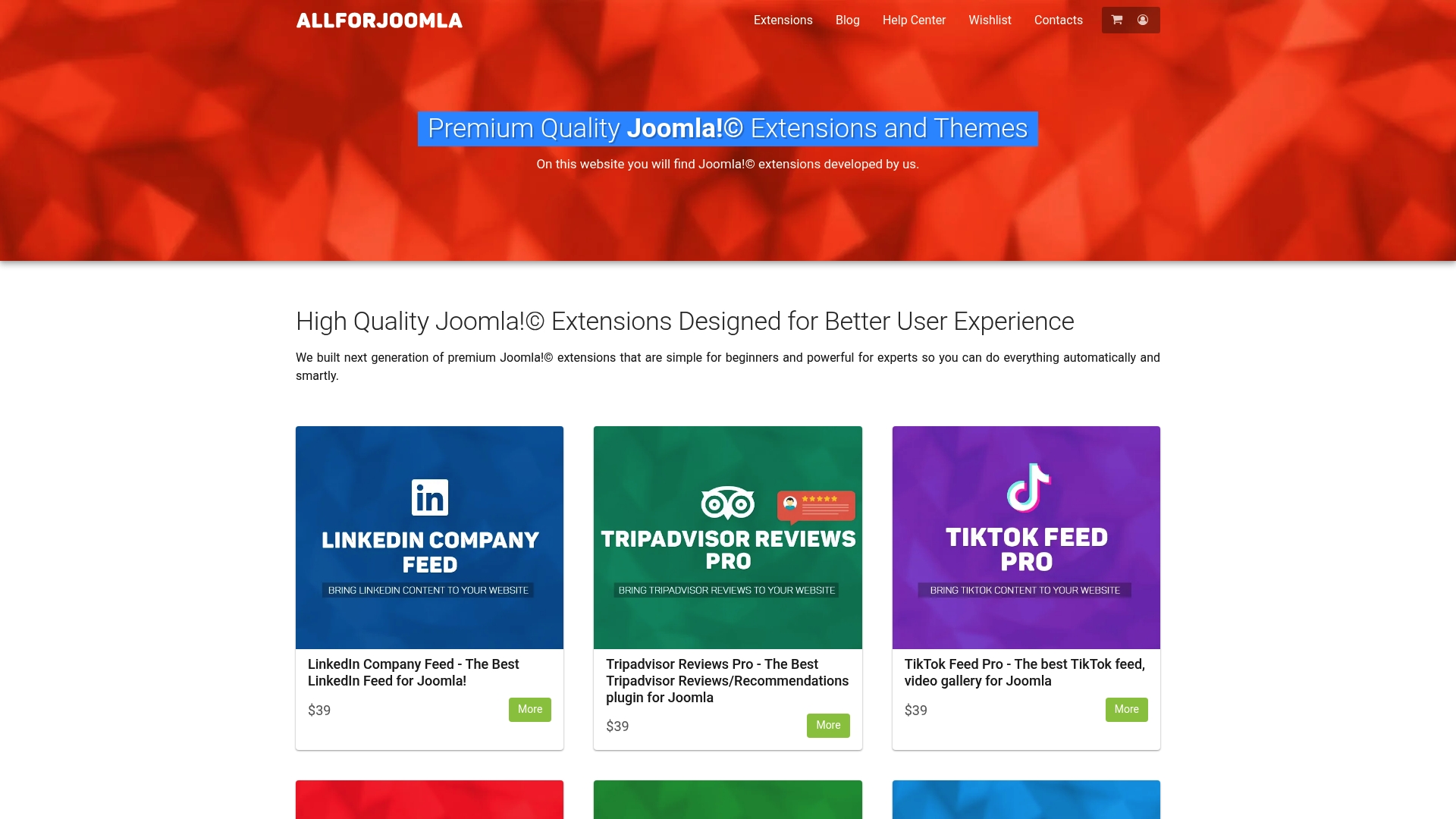
Don’t wait to enhance your site’s credibility and customer trust. Visit AllForJoomla now and find the perfect review plugin that fits your unique business needs and technical comfort level.
Frequently Asked Questions
What are the key features to look for in Joomla! review plugins?
The key features include integration ease, support for various review sources, customization options, automation capabilities, and display flexibility. Evaluate your business needs to select a plugin that aligns with these critical aspects.
How can I integrate Google reviews on my Joomla! site?
Integrating Google reviews requires a suitable plugin that connects to your Google Business Profile. After installation, configure the plugin to automatically pull in your Google reviews and display them on your site, enhancing customer trust.
What type of feedback can I collect using custom review forms?
Custom review forms enable you to ask targeted questions specific to your business. This can help you gather detailed insights on customer preferences, pain points, and feature requests that can inform your product or service improvements.
How does automated moderation improve review management on my Joomla! site?
Automated moderation reduces the time you spend reviewing customer feedback by filtering out spam and inappropriate content automatically. Set up rules for verification and approval processes to ensure that only genuine reviews enhance your site’s credibility.
Can I showcase reviews from multiple platforms on my Joomla! site?
Yes, many Joomla! review plugins support integration with multiple review platforms like Google, Facebook, and TripAdvisor. Display reviews from different sources on your website to create a more comprehensive view of customer feedback, which can build greater trust with potential clients.










