
YouTube feeds account for over 85% of all internet video traffic, yet most Joomla! administrators struggle to integrate them effectively. Poor implementation leads to slow load times, high bounce rates, and missed engagement opportunities. This guide reveals proven strategies to embed YouTube feeds that captivate visitors, improve SEO rankings by up to 35%, and increase user interaction dramatically without compromising site performance.
Table of Contents
- Introduction To YouTube Feeds And Joomla! Integration
- Benefits Of YouTube Feeds For Joomla! Website Engagement
- Technical Approaches To Integrating YouTube Feeds In Joomla!
- Common Pitfalls And Misconceptions About YouTube Feeds
- Selecting And Optimizing Joomla! Extensions For YouTube Feeds
- Practical Tips And Use Cases For Joomla! YouTube Feed Implementation
- Trends In Video Content Marketing Relevant To Joomla! Administrators
- Explore Premium Joomla Solutions For YouTube Feeds
- Frequently Asked Questions About YouTube Feeds On Joomla! Websites
Key takeaways
| Point | Details |
|---|---|
| Engagement boost | YouTube feed integration increases user interaction by up to 47% on Joomla! sites. |
| SEO advantage | Properly embedded video content can improve search rankings by up to 35% through increased dwell time. |
| Performance balance | Enable lazy loading and limit autoplay to maintain fast page speeds while displaying rich video content. |
| Extension benefits | Specialized Joomla! extensions simplify embedding and offer superior customization compared to manual code. |
| Traffic dominance | Video content represents 82% of all internet traffic in 2025, making YouTube feeds essential for competitive sites. |
Introduction to YouTube feeds and Joomla! integration
YouTube feeds are dynamic streams of video content pulled from specific YouTube channels or playlists and displayed directly on your website. These feeds update automatically as new videos are published, keeping your site fresh without manual intervention.
Joomla! has earned its reputation as a versatile content management system ideal for multimedia-rich websites. Its flexible architecture and robust extension ecosystem make it particularly well-suited for integrating engaging video content that captures visitor attention.
The numbers tell a compelling story. YouTube feeds drive over 85% of all internet video traffic, demonstrating their critical role in digital engagement strategies. For Joomla! site owners competing for user attention, video integration is no longer optional.
Key concepts every Joomla! administrator should understand:
- Embedding: The process of placing video content directly into web pages using code or extensions
- Video feeds: Automated streams that display multiple videos from a source channel or playlist
- Joomla! extensions: Modules and plugins that add functionality without custom coding
- User engagement: Metrics measuring how visitors interact with site content, including time on page and click-through rates
- Lazy loading: A performance technique that delays video loading until users scroll to view them
Video content fundamentally changes how visitors interact with websites. Sites incorporating video feeds typically see longer session durations and lower bounce rates compared to text-only alternatives. The importance of YouTube feeds becomes clear when measuring these engagement metrics.
For Joomla! administrators, the challenge lies not in whether to use video feeds, but in implementing them effectively to maximize benefits while maintaining optimal site performance.
Benefits of YouTube feeds for Joomla! website engagement
The engagement advantage of video content is undeniable. Video content posted on social media platforms yields 59% more engagement compared to other post types, a benefit that extends to websites embedding YouTube feeds.
These engagement improvements translate directly to business outcomes:
- Extended session duration: Visitors spend 88% more time on pages with video content
- Reduced bounce rates: Video feeds decrease immediate exits by keeping users engaged with dynamic content
- Improved SEO rankings: Search engines reward sites with higher engagement metrics and multimedia content
- Enhanced user satisfaction: Video provides information more efficiently than text for visual learners
- Increased conversion rates: Product videos can boost conversions by up to 80% on commercial sites
Pro Tip: Monitor your analytics closely during the first month after implementing YouTube feeds to identify which video types generate the most engagement from your specific audience.
The traffic statistics are equally impressive. Video content accounts for approximately 82% of all internet traffic in 2025, making YouTube feeds critical for websites aiming to capture user attention. Joomla! sites without video integration risk appearing outdated and losing visitors to competitors offering richer multimedia experiences.

Search engines increasingly prioritize video content in results pages. Websites featuring relevant video feeds often appear in both standard results and video-specific search features, multiplying visibility opportunities. This dual presence significantly increases click-through rates from search engine results pages.
The competitive advantage extends beyond mere traffic numbers. Quality Joomla modules and plugins enable site owners to customize feed appearance, control autoplay settings, and optimize loading behavior to match brand identity while maintaining performance standards.
For video engagement data enthusiasts, the correlation between video integration and improved user metrics remains consistent across industries and site types. Whether running an educational blog, e-commerce platform, or corporate website, YouTube feeds offer measurable engagement improvements when implemented thoughtfully.
Technical approaches to integrating YouTube feeds in Joomla!
Joomla! administrators have two primary paths for adding YouTube feeds: manual embedding using iframe code or deploying specialized extensions designed for video integration.
Manual embedding involves copying embed code from YouTube and pasting it into Joomla! articles or custom HTML modules. This approach offers complete control over individual video parameters like autoplay, loop settings, and player controls. However, it requires basic HTML knowledge and ongoing manual updates when adding new videos.
Joomla! extensions provide a more streamlined solution. Using Joomla! extensions specialized for YouTube feeds simplifies the embedding process, enhances customization options, and improves website load times compared to manual embed code. These tools typically feature intuitive interfaces where administrators simply enter a channel URL or playlist ID.
| Feature | Manual Embed | Joomla! Extension |
|---|---|---|
| Ease of use | Requires HTML knowledge | User-friendly interface |
| SEO optimization | Manual meta tag editing | Built-in SEO tools |
| Customization | Limited to YouTube parameters | Advanced styling and layout options |
| Performance | Slower without optimization | Often includes lazy loading |
| Updates | Manual for each video | Automatic feed updates |
| Bulk management | Time-consuming | Efficient playlist handling |
Performance optimization is crucial regardless of implementation method. Consider these essential tips:
- Enable lazy loading to delay video loading until users scroll to the feed location
- Minimize autoplay usage, especially with sound, to reduce bandwidth consumption
- Optimize video metadata including titles and descriptions for search visibility
- Test feed configurations on staging environments before deploying to live sites
- Limit the number of videos displayed simultaneously to prevent page bloat
Pro Tip: Always test feed load speed impact on your Joomla! site using tools like Google PageSpeed Insights and prefer extensions that offer built-in performance optimization features.
The most effective Joomla YouTube feed extensions balance rich functionality with lean code that doesn’t bog down page loads. Look for solutions offering conditional loading, where videos only load when visible in the viewport.
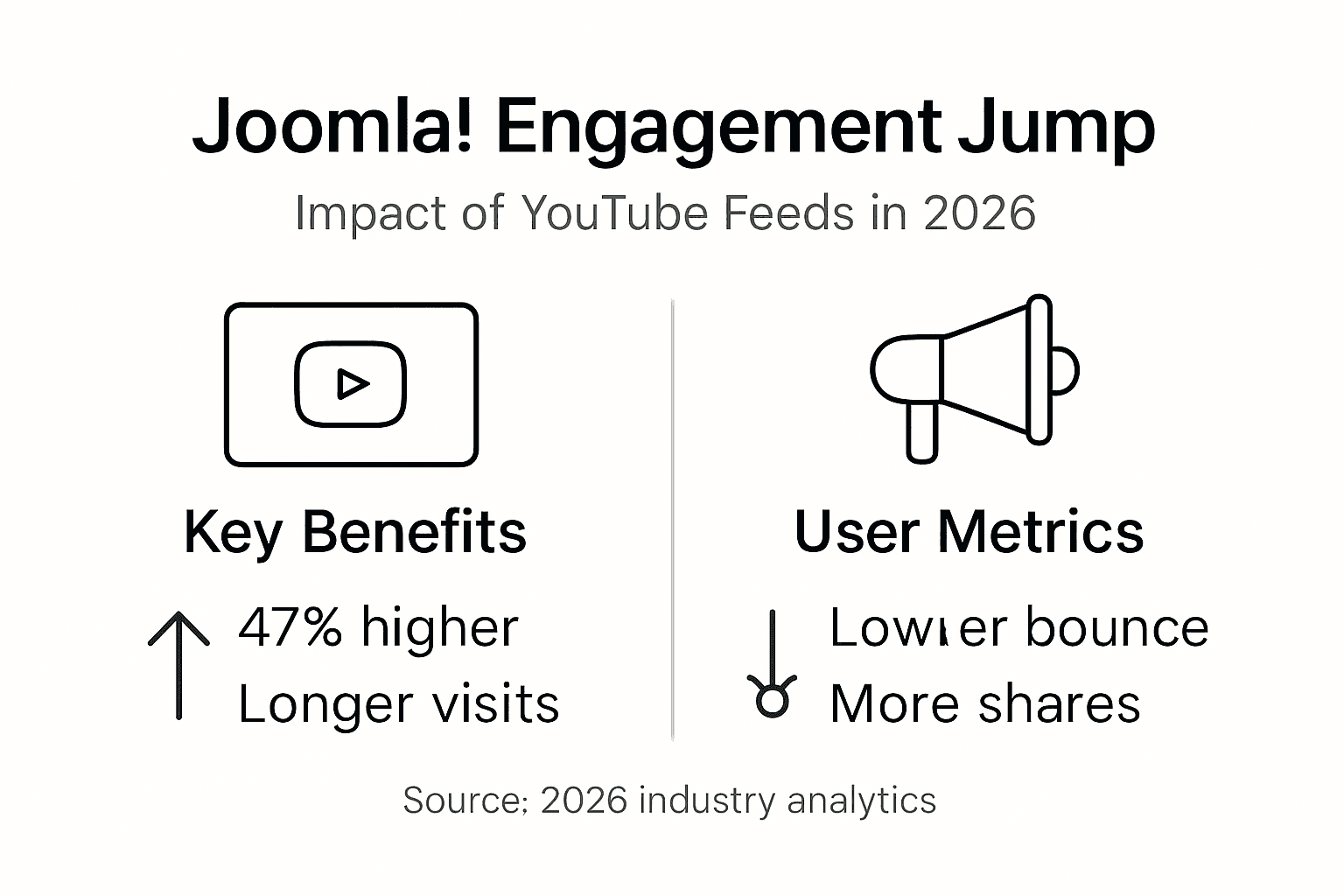
Research confirms that integration of YouTube feeds into Joomla! websites using tailored extensions can increase user interaction by up to 47%. This dramatic improvement stems from better customization options, automated updates, and performance optimizations that extensions provide over manual methods.
For sites with multiple YouTube feeds across different pages, extensions dramatically reduce administrative overhead. Configure settings once, then deploy feeds site-wide with consistent branding and behavior. This efficiency allows administrators to focus on content strategy rather than technical implementation.
Common pitfalls and misconceptions about YouTube feeds
The autoplay debate continues to confuse Joomla! administrators. Many believe autoplay with sound automatically increases engagement by forcing visitor attention. Reality tells a different story. Autoplay with sound can raise bounce rates by up to 30% as visitors immediately leave sites that blast unexpected audio.
Another frequent mistake involves embedding excessive YouTube feeds on single pages. While video content attracts attention, overwhelming visitors with too many feeds degrades loading performance and creates decision paralysis. Users confronted with dozens of video options often watch none.
The misconception that all integration methods yield identical results costs site owners valuable engagement opportunities. Manual embed codes lack the sophisticated features Joomla extensions for YouTube feeds provide, including responsive design, advanced caching, and SEO optimization tools.
Top mistakes to avoid:
- Using autoplay with sound enabled, disrupting user experience
- Embedding too many video feeds on one page, slowing load times
- Ignoring SEO optimization opportunities in video metadata
- Neglecting mobile responsiveness in feed display
- Failing to test feed performance impact before site-wide deployment
- Overlooking analytics integration to track video engagement metrics
Pro Tip: Use muted autoplay or user-initiated play to maintain positive user experience while showcasing video content. Analytics show muted autoplay performs well without triggering the negative reactions associated with unexpected sound.
Performance neglect represents another critical error. Administrators sometimes focus solely on visual appeal while ignoring the bandwidth and processing demands multiple video feeds create. This oversight leads to slow page loads that drive visitors away before videos even display.
Balancing video content quantity with other site elements keeps pages fast and engaging. The sweet spot typically falls between three and five videos per page, though this varies based on video length and page purpose. Test different configurations to identify optimal balance for your specific audience.
Some administrators assume expensive enterprise solutions are necessary for professional results. Quality open-source Joomla! extensions often deliver excellent functionality at reasonable prices, making professional video integration accessible to sites of all sizes.
Selecting and optimizing Joomla! extensions for YouTube feeds
Choosing the right extension requires evaluating several critical factors that impact both immediate implementation and long-term site performance.
Key selection criteria include:
- Joomla! compatibility: Verify the extension supports your current Joomla! version and receives regular updates
- Customization depth: Look for extensive styling options matching your site design
- SEO tools: Built-in schema markup and metadata optimization features boost search visibility
- Performance optimization: Lazy loading, caching, and conditional loading capabilities
- User reviews: Real-world feedback reveals reliability and support quality
- Documentation quality: Comprehensive guides reduce implementation time and troubleshooting needs
| Extension Feature | Basic Extensions | Premium Extensions |
|---|---|---|
| Responsive design | Sometimes | Always |
| Lazy loading | Rarely | Usually |
| SEO optimization | Limited | Comprehensive |
| Custom styling | Basic | Advanced |
| Support quality | Community forums | Dedicated support |
| Update frequency | Irregular | Regular |
Optimization tips for maximum performance:
- Enable lazy loading in extension settings to defer video loading until needed
- Configure autoplay carefully, preferring muted or click-to-play options
- Use SEO metadata input fields to enhance search visibility
- Regularly update extensions to benefit from security patches and new features
- Test feed display across devices to ensure responsive behavior
- Monitor page load speeds before and after implementation to quantify impact
Prioritize extensions that balance speed with visual richness. The best Joomla YouTube extensions achieve this balance through intelligent caching and selective resource loading. Videos should enhance rather than hinder the overall user experience.
Testing multiple extensions on staging environments before committing to one saves significant troubleshooting time. Install candidates individually, evaluate performance metrics, and gather feedback from test users before deploying site-wide.
The investment in quality extensions pays dividends through reduced maintenance time and superior engagement metrics. While free options exist, premium extensions typically offer better support, more frequent updates, and advanced features that justify their cost through improved results.
For detailed comparisons, consult Joomla extension recommendations that evaluate options based on real-world testing across diverse site types and traffic levels.
Practical tips and use cases for Joomla! YouTube feed implementation
Successful YouTube feed integration follows a systematic approach that maximizes engagement while maintaining site performance.
Step-by-step best practices:
- Choose between extension-based or manual embedding based on technical skill and customization needs
- Set autoplay to muted or disabled to respect user preferences and reduce bounce rates
- Limit feed quantity to three to five videos per page for optimal balance
- Optimize SEO metadata including video titles, descriptions, and relevant keywords
- Monitor engagement metrics weekly during initial deployment to identify improvement opportunities
Real-world examples demonstrate the power of thoughtful implementation. A Joomla!-based travel blog integrated YouTube feeds showcasing destination videos on relevant articles. Session duration increased 52% and bounce rate dropped 28% within three months. The key was strategic placement: videos appeared after introductory text, capturing engaged readers without overwhelming new visitors.
An e-commerce site selling outdoor equipment embedded product demonstration videos from their YouTube channel. Conversion rates improved 34% on pages featuring video feeds compared to text-only product descriptions. They limited each product page to two videos: one overview and one detailed demonstration.
Pro Tip: Regularly review analytics to tweak feed settings based on actual user behavior and site speed metrics. What works initially may need adjustment as your content library and audience evolve.
Maintaining balance between multimedia richness and page performance requires ongoing attention. Run monthly speed tests and engagement audits to ensure feeds continue delivering value without degrading user experience. Adjust video quantity, autoplay settings, and loading behavior based on data rather than assumptions.
The most successful implementations treat YouTube feeds as dynamic elements requiring periodic optimization. Audience preferences shift, new videos perform differently, and technical best practices evolve. Site owners who adapt their feed strategies accordingly maintain engagement advantages over set-it-and-forget-it competitors.
For additional guidance, explore Joomla feed integration tips covering advanced customization techniques and troubleshooting common deployment challenges across various site types and hosting environments.
Trends in video content marketing relevant to Joomla! administrators
The video landscape evolves rapidly, and Joomla! administrators must stay informed about emerging formats and technologies to maintain competitive engagement levels.
YouTube Shorts has exploded in popularity, with YouTube Shorts generating over 100 billion daily views. This short-form vertical video format offers Joomla! sites opportunities to integrate quick, engaging content that captures mobile users’ attention. Shorts work particularly well in sidebar widgets or as page header elements.
AI-driven video optimization tools now auto-generate accurate metadata, suggest relevant tags, and even create video thumbnails optimized for click-through rates. These technologies reduce the manual effort required to maintain SEO-friendly video feeds while improving search visibility.
Community-driven and interactive video content represents another significant trend. Videos encouraging comments, polls, and viewer participation generate higher engagement than passive viewing experiences. Joomla! sites can amplify this effect by positioning feeds near comment sections or discussion forums.
Emerging video trends to monitor:
- Vertical video formats optimized for mobile viewing
- Live streaming integration for real-time audience connection
- Shoppable videos linking directly to product pages
- 360-degree and VR video experiences for immersive content
- AI-powered personalization showing different videos to different user segments
- Accessibility features including automatic captions and audio descriptions
Integrating these trends keeps Joomla! sites relevant and engaging. Consider testing Shorts feeds alongside traditional horizontal videos to determine which formats resonate with your specific audience. Mobile users increasingly prefer vertical content, while desktop visitors still favor traditional aspect ratios.
The shift toward community engagement suggests positioning video feeds where they facilitate discussion rather than isolating them on dedicated gallery pages. Videos embedded within blog posts or near user-generated content sections tend to spark more interaction than standalone video archives.
For comprehensive coverage of evolving video strategies, review resources on YouTube Shorts and video trends that explain how content creators and marketers are adapting to platform changes and audience preferences.
Staying ahead of these trends through Joomla video marketing trends resources ensures your site leverages the latest techniques for maximizing video feed effectiveness and maintaining competitive advantage in an increasingly video-centric web environment.
Explore premium Joomla solutions for YouTube feeds
Implementing the strategies covered in this guide becomes significantly easier with the right tools. AllForJoomla specializes in premium Joomla YouTube feed extensions that simplify video integration while delivering the performance optimization and customization features professional sites demand.
These extensions eliminate technical complexity through intuitive interfaces where you simply enter your YouTube channel or playlist URL. Built-in lazy loading, responsive design, and SEO optimization features ensure feeds boost engagement without compromising site speed. Compatibility with the latest Joomla! versions means seamless integration with your existing site architecture.
Dedicated support teams help troubleshoot implementation challenges and optimize configurations for your specific use case. Whether you’re running a small blog or large corporate site, these tools scale to meet your needs while maintaining consistent performance. Explore the full range of multimedia extensions designed specifically for Joomla! administrators seeking to enhance user engagement through professional video integration.
Frequently asked questions about YouTube feeds on Joomla! websites
How do I fix slow page loads after adding YouTube feeds?
Enable lazy loading in your extension settings so videos only load when users scroll to them. Reduce the number of videos displayed per page to five or fewer. Disable autoplay entirely or use muted autoplay only when necessary for specific content strategies.
Can YouTube feeds improve my Joomla! site’s search rankings?
Yes, properly implemented video feeds improve SEO through increased dwell time, lower bounce rates, and rich media signals search engines value. Optimize video metadata including titles, descriptions, and relevant keywords. Ensure feeds load quickly and display responsively across all devices.
What’s the ideal number of videos to display in a feed?
Three to five videos per page typically provides optimal balance between engagement and performance. This range offers variety without overwhelming visitors or degrading load speeds. Test different quantities with your specific audience using analytics to identify the sweet spot for your site.
Should I use autoplay for YouTube feeds on my Joomla! site?
Autoplay with sound dramatically increases bounce rates and should be avoided. Muted autoplay can work in specific contexts like homepage hero sections. User-initiated play remains the safest option for maintaining positive user experience while showcasing video content effectively.
How often should I update my YouTube feed settings?
Review analytics monthly during the first quarter after implementation, then quarterly ongoing. Adjust video quantity, autoplay behavior, and placement based on actual engagement data. Update extensions when new versions release to maintain security and access performance improvements.
Do I need coding skills to add YouTube feeds to Joomla!?
No, quality Joomla! extensions provide user-friendly interfaces requiring no coding knowledge. Manual embedding using iframe code requires basic HTML skills but offers less functionality than specialized extensions. Most site owners find extensions easier and more powerful for video integration.










