
Video galleries can transform your Joomla! site, but many administrators struggle with slow-loading galleries that frustrate visitors. Manual setups often result in poor responsiveness and missed engagement opportunities. This guide walks you through choosing the right extension, configuring optimal settings, and avoiding common pitfalls to create fast, engaging video galleries that keep visitors on your site longer and boost interaction rates.
Table of Contents
- Prerequisites And Tools Needed
- Step-By-Step Implementation Of Video Galleries
- Optimization Techniques For Performance And Seo
- Common Mistakes And Troubleshooting
- Expected Results And Outcomes
- Enhance Your Joomla! Site With Premium Video Gallery Extensions
- Frequently Asked Questions
Key takeaways
| Point | Details |
|---|---|
| Extension selection matters | Choosing compatible Joomla! extensions ensures responsive design and multiple video source support. |
| Prerequisites save time | Proper hosting bandwidth, Joomla! 4.x or higher, and admin skills streamline implementation. |
| Optimization drives results | Lazy loading, CDN integration, and SEO metadata improve speed and search visibility. |
| Common mistakes hurt UX | Ignoring mobile responsiveness and using unsupported formats lead to playback failures. |
| Measurable engagement gains | Video galleries increase session duration by up to 35% and boost user interactions by over 20%. |
Prerequisites and tools needed
Before adding video galleries to your Joomla! site, you need the right foundation. Start with Joomla! version 4.x or higher for optimal security and compatibility with modern extensions. Older versions lack essential features that power today’s responsive galleries.
Your hosting environment plays a critical role. Video content demands significant bandwidth and storage, especially if you host videos directly. Shared hosting plans often struggle with video traffic spikes, causing slowdowns during peak hours. Consider upgrading to VPS or dedicated hosting if you plan extensive video libraries.
Extension selection determines your success. Look for tools supporting YouTube, Vimeo, and self-hosted videos simultaneously. Premium Joomla modules like AllForJoomla Video Gallery offer drag-and-drop configuration, responsive templates, and automatic optimization features that manual coding cannot match.
You need basic Joomla! administration skills to navigate the backend interface. Familiarity with extension installation, menu management, and module assignment speeds up implementation. If you’re new to Joomla!, spend an hour reviewing the admin panel before starting.
Essential checklist:
- Joomla! 4.x or newer installed
- Hosting with at least 2GB RAM and SSD storage
- FTP or file manager access for troubleshooting
- Backup system in place before making changes
- Browser testing tools for mobile compatibility checks
| Tool Category | Recommended Options | Purpose |
|---|---|---|
| Joomla! Version | 4.x, 5.x | Core platform stability |
| Video Extension | AllForJoomla Video Gallery, JoomGallery | Gallery management |
| Hosting Type | VPS, Cloud Hosting | Bandwidth and speed |
| Video Sources | YouTube, Vimeo, Self-hosted | Content variety |
| Testing Tools | BrowserStack, Chrome DevTools | Cross-device validation |
Pro Tip: Test your hosting bandwidth by uploading a sample video and monitoring load times across different devices. If playback stutters or buffers excessively, upgrade your plan before building your full gallery.
Many administrators underestimate the importance of choosing extensions with active support communities. Updates matter for security patches and compatibility with future Joomla! releases. Extensions abandoned by developers create vulnerabilities and compatibility headaches down the road.
Step-by-step implementation of video galleries
Implementing video galleries becomes straightforward when you follow a structured process. Start by selecting an extension that handles multiple video sources seamlessly. Extensions supporting YouTube, Vimeo, and self-hosted content give you maximum flexibility for current and future needs.
Before installation, verify your hosting can handle expected video traffic. Calculate bandwidth requirements by multiplying average video size by anticipated monthly views. A 10MB video viewed 1,000 times monthly requires at least 10GB bandwidth, plus overhead for other site functions.
Installation and configuration process:
- Download your chosen extension from a trusted source or the Joomla extension directory
- Navigate to System > Install > Extensions in your Joomla! admin panel
- Upload the extension package file and click Install
- Enable the extension through Extensions > Manage > Manage
- Configure basic settings including gallery layout, video dimensions, and autoplay preferences
- Add video sources by pasting URLs or uploading files through the extension interface
- Assign the gallery module to desired page positions using Modules > Site Modules
- Set display parameters like number of videos per row and thumbnail styles
- Enable responsive mode to ensure mobile compatibility
- Save settings and clear Joomla! cache to apply changes
Pro Tip: Create a test page with your gallery before publishing site-wide. This lets you experiment with layouts and catch configuration errors without affecting live visitors.
After installation, configure video sources carefully. YouTube and Vimeo integrations require API keys for advanced features like playlist synchronization. Self-hosted videos need proper encoding; MP4 with H.264 compression offers the best compatibility across browsers and devices.
Gallery appearance impacts engagement significantly. Grid layouts work well for browse-heavy galleries, while single-video displays with related suggestions suit focused content. Most manual setup approaches lack the polished templates that premium extensions provide out of the box.

Test extensively across devices before launching. Open your gallery on smartphones, tablets, and desktop browsers. Check playback controls, touch responsiveness, and loading speeds. Video galleries that work perfectly on desktop often break on mobile due to sizing issues or unsupported features.
Set fallback options for older browsers. HTML5 video players handle modern browsers well, but legacy systems may need Flash fallbacks or alternative content messages. Premium extensions handle these compatibility layers automatically.
Optimization techniques for performance and SEO
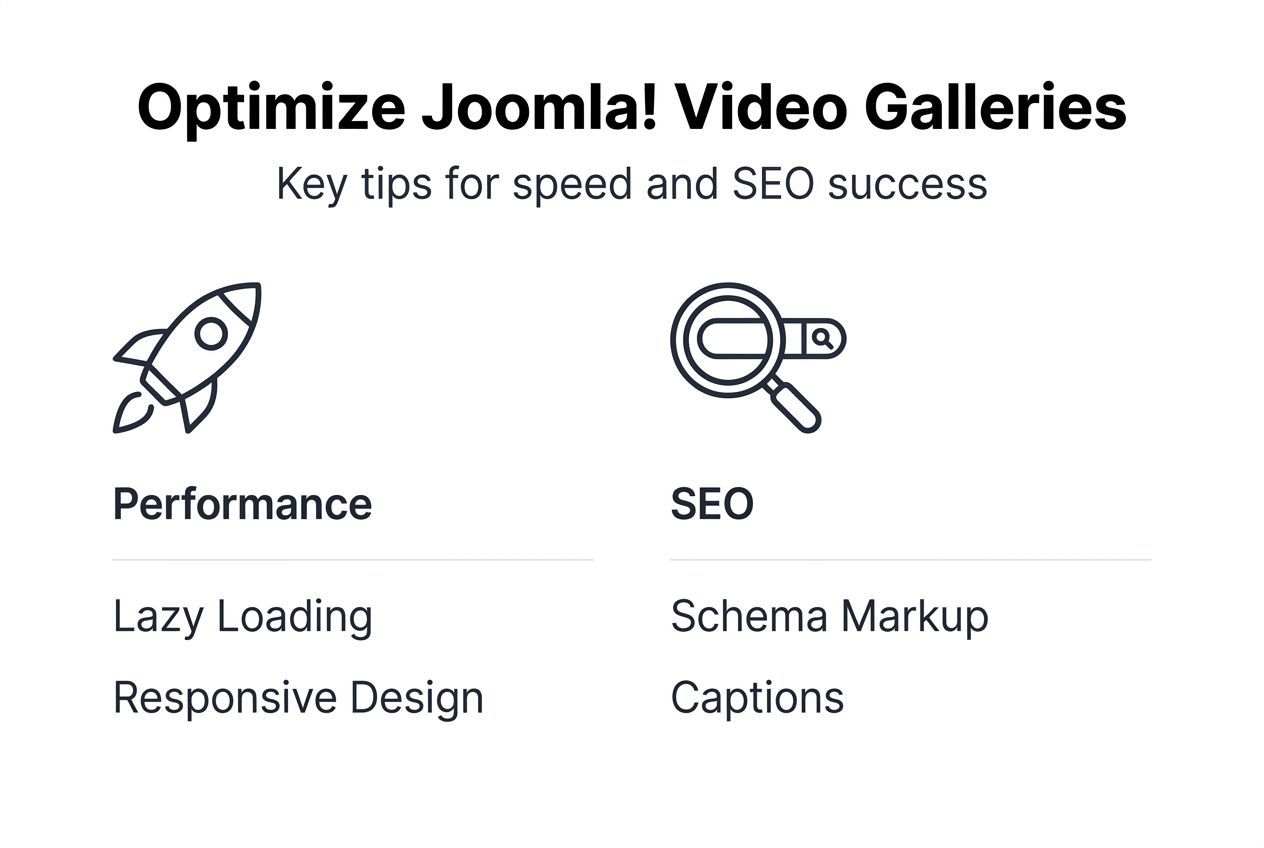
Performance optimization separates engaging galleries from frustrating ones. Lazy loading stands as the most effective technique; videos load only when users scroll them into view. This approach can reduce initial page load times by 60% or more on gallery-heavy pages.
CDN integration accelerates video delivery globally. When visitors access your site from distant locations, CDNs serve videos from nearby servers instead of your origin host. This cuts latency dramatically, especially for international audiences.
Essential optimization strategies:
- Enable lazy loading for all embedded videos to defer offscreen content
- Compress video files using tools like HandBrake before uploading
- Implement poster images that display before playback begins
- Set appropriate video resolutions; 1080p often exceeds mobile screen capabilities
- Use adaptive bitrate streaming for longer videos to adjust quality based on connection speed
- Minify CSS and JavaScript files associated with gallery extensions
- Enable browser caching for static gallery assets
- Monitor Core Web Vitals to identify performance bottlenecks
SEO optimization extends your gallery’s reach beyond existing visitors. Search engines can index video content when you provide proper metadata. Include descriptive titles, detailed descriptions, and relevant tags for each video.
Schema markup tells search engines exactly what your content contains. Video object schema enables rich snippets in search results, displaying thumbnails, duration, and upload dates directly in Google listings. Most video gallery optimization features in premium extensions include schema generators that handle technical implementation automatically.
Update extensions regularly to maintain security and access new features. Developers continuously improve performance and fix compatibility issues. Outdated extensions create security vulnerabilities and may conflict with Joomla! core updates.
Combine technical optimization with design considerations. Responsive galleries that adapt to screen sizes perform better in mobile search rankings. Google prioritizes mobile-friendly content, so galleries that break on smartphones hurt your overall SEO.
Monitor gallery analytics to identify optimization opportunities. Track metrics like video completion rates, click-through rates on related videos, and bounce rates on gallery pages. Low completion rates may indicate slow loading or poor video quality.
Common mistakes and troubleshooting
Video format incompatibility ranks as the most frequent implementation error. Uploading MOV, AVI, or WMV files often leads to playback failures across different browsers. MP4 with H.264 video codec and AAC audio codec provides universal compatibility with minimal file size.
Mobile responsiveness testing gets skipped too often. Up to 50% of mobile users experience playback or layout issues when galleries aren’t properly tested on actual devices. Emulators help, but physical testing catches touch interaction problems and screen-specific bugs.
Frequent mistakes to avoid:
- Ignoring video file size limits set by hosting providers
- Overloading pages with too many autoplay videos that consume bandwidth
- Failing to test gallery functionality after Joomla! or PHP updates
- Neglecting to set appropriate video permissions for embedded content
- Using low-quality thumbnails that fail to attract clicks
- Forgetting to enable HTTPS for video content, causing mixed content warnings
- Skipping backup creation before installing or updating extensions
“The difference between a successful video gallery and a frustrating one often comes down to testing. What works perfectly in your development environment may break in production due to server configurations, browser variations, or user behavior patterns you didn’t anticipate.”
Page load speed suffers when lazy loading isn’t enabled. Loading all videos simultaneously on a 20-video gallery page creates unnecessary overhead. Enable progressive loading so only the first few visible videos initialize immediately.
Extension conflicts cause mysterious failures. When multiple extensions modify the same Joomla! core functions, unexpected behavior emerges. Test new gallery extensions on staging sites before production deployment. Document which extensions you install to simplify troubleshooting later.
Cache problems hide configuration changes. After adjusting gallery settings, clear both Joomla! system cache and browser cache. Changes may not appear until caches refresh, leading administrators to make duplicate modifications that compound issues.
Permission errors prevent video uploads or display. Verify that your Joomla! media folders have appropriate write permissions. Incorrect folder permissions return cryptic error messages that obscure the actual problem.
For persistent issues, consult Joomla video gallery troubleshooting resources or extension documentation. Premium extensions typically include support channels where you can submit tickets describing specific error messages and configurations.
Monitor user feedback after launching galleries. Visitors often report problems you missed during testing. Set up a simple feedback form on gallery pages to capture issues quickly. Address reported problems promptly to prevent negative user experiences from spreading.
Expected results and outcomes
Properly implemented video galleries deliver measurable improvements across multiple metrics. Session duration increases provide the clearest indicator of success. Sites with optimized video galleries see average session time rise by up to 35% compared to text-only pages.
Engagement metrics improve substantially when videos enhance rather than disrupt user experience. Click-through rates on related content, social shares, and comment activity typically increase by over 20% on pages featuring video galleries. Interactive elements like video playlists keep visitors exploring your content longer.
Social sharing amplifies your reach organically. When you include share buttons alongside video galleries, visitors distribute your content across their networks. This organic promotion can boost reach by approximately 22% without additional advertising spend.
| Metric | Typical Improvement | Timeframe |
|---|---|---|
| Average Session Duration | 25-35% increase | 2-4 weeks post-launch |
| User Engagement Rate | 20-30% increase | 1-3 months |
| Social Shares | 22% increase | Ongoing |
| Page Load Time | 40-60% reduction with optimization | Immediate |
| Mobile Bounce Rate | 15-25% reduction | 2-6 weeks |
| Video Completion Rate | 55-70% for optimized content | Ongoing |
Implementation time varies based on your familiarity with Joomla! and chosen extension complexity. Experienced administrators typically complete basic gallery setup within 1-2 hours. This includes extension installation, configuration, and adding initial video content.
Advanced customization requires additional time investment. Custom CSS styling, template modifications, and integration with third-party analytics tools may extend implementation to 4-6 hours for complex galleries.
Pro Tip: Track baseline metrics before implementing video galleries so you can measure actual improvement. Document current session duration, bounce rates, and engagement levels to demonstrate ROI to stakeholders.
Long-term benefits compound with consistent content updates. Regularly refreshing gallery content keeps visitors returning and signals to search engines that your site remains active. Plan for ongoing maintenance including extension updates, content additions, and performance monitoring.
SEO benefits materialize gradually as search engines index your video content. Expect 2-3 months before seeing significant organic traffic increases from video-optimized pages. Rich snippets and video carousels in search results further boost click-through rates over time.
Conversion rates on pages with video galleries often exceed text-only equivalents by 15-30%. Product demonstrations, tutorial videos, and testimonials build trust faster than written descriptions alone. This effect compounds on commercial pages where purchasing decisions benefit from visual evidence.
Monitor Joomla video gallery results through your analytics platform. Set up goals tracking video plays, completion rates, and subsequent actions visitors take after watching. These insights guide content strategy and identify which video types resonate most with your audience.
Enhance your Joomla! site with premium video gallery extensions
Transforming your educational content into action starts with choosing the right tools. AllForJoomla specializes in premium Joomla modules that simplify video gallery implementation while delivering professional results. Their extensions eliminate the technical complexity that holds many site administrators back.
Their video gallery Joomla extensions support multiple video sources seamlessly, including YouTube, Vimeo, and self-hosted content. You get responsive layouts that adapt automatically to any screen size, built-in lazy loading for optimal performance, and intuitive drag-and-drop configuration that requires no coding knowledge.
Expert support ensures you never get stuck during implementation. When questions arise or unexpected issues occur, their team provides detailed guidance specific to your configuration. Continuous updates keep your galleries compatible with the latest Joomla! releases and security standards.
Visit AllForJoomla today to explore their complete range of modules and start building galleries that genuinely engage your visitors. Their affordable pricing and comprehensive feature sets make professional video galleries accessible regardless of budget constraints.
Frequently asked questions
How do I choose the best Joomla! video gallery extension?
Focus on compatibility with Joomla! 4.x or higher, support for multiple video sources like YouTube and Vimeo, and responsive design capabilities. Look for optimization features including lazy loading and CDN support that improve performance automatically. Consider user reviews, update frequency, and whether developers provide active support channels. Extensions with regular updates maintain security and compatibility with future Joomla! versions. Check selecting Joomla extensions resources for detailed comparison criteria.
Can I add self-hosted videos and those from YouTube or Vimeo in one gallery?
Most premium Joomla! gallery extensions support YouTube, Vimeo, and self-hosted videos simultaneously, providing seamless integration across all sources. This flexibility lets you mix professional platform content with proprietary videos in unified presentations. Always verify specific extension features before purchasing to ensure it supports your exact requirements and video source combinations.
What common issues should I avoid when adding video galleries to Joomla!?
Avoid unsupported video formats; use MP4 with H.264 encoding for maximum browser compatibility. Test galleries thoroughly on mobile devices to ensure responsive behavior and touch controls work properly. Limit the number of videos per page to maintain quick load times and prevent bandwidth overconsumption. Enable lazy loading so offscreen videos don’t slow initial page rendering. Keep extensions updated to access security patches and performance improvements.
How long does it take to see engagement improvements from video galleries?
You typically see initial engagement metric improvements within 2-4 weeks after launching optimized video galleries. Session duration increases appear quickest, often within the first week as visitors spend more time with video content. Social sharing and SEO benefits develop more gradually over 2-3 months as content gets indexed and shared. Track baseline metrics before implementation to measure actual improvement accurately.
Do video galleries slow down my Joomla! site?
Properly optimized video galleries actually improve perceived performance through strategic loading techniques. Lazy loading ensures videos initialize only when needed, reducing initial page load times significantly. CDN integration accelerates delivery globally, especially for international visitors. Poor implementations without optimization can slow sites, which is why choosing quality extensions with built-in performance features matters. Monitor Core Web Vitals after implementation to verify your galleries enhance rather than hinder user experience.










