
Websites that integrate Facebook feeds see up to 40% longer session durations compared to those without. For Joomla! administrators and digital marketers, embedding live Facebook feeds transforms static websites into dynamic social hubs that build trust and keep visitors engaged. This guide explains why Facebook feeds matter, how to implement them effectively in Joomla!, and proven strategies to maximize their impact on your site’s performance and social visibility.
Table of Contents
- Understanding Facebook Feeds And Their Role
- How Facebook Feeds Enhance Engagement And Visibility
- Technical Considerations For Joomla! Integration
- Common Misconceptions About Facebook Feeds
- Comparing Joomla! Facebook Feed Extensions
- Practical Steps To Embed Facebook Feeds On Your Joomla! Site
- Case Studies And Real-World Results
- Explore Premium Joomla! Extensions To Enhance Your Facebook Feed Integration
- Frequently Asked Questions
Key takeaways
| Point | Details |
|---|---|
| Engagement boost | Facebook feeds can increase session duration by 40% and reduce bounce rates by 15-20%. |
| Trust building | Live social content provides 55% higher consumer trust compared to sites without feeds. |
| Technical simplicity | Joomla! extensions enable easy integration with minimal performance impact when optimized. |
| Performance optimization | Asynchronous loading and caching keep load time increases under 5%. |
Understanding Facebook feeds and their role
A Facebook feed displays dynamic content directly from your Facebook business page onto your Joomla! website. This includes recent posts, customer comments, images, videos, and real-time interactions. Unlike static social media icons that simply link to external Facebook pages, feeds bring live social activity into your website environment.
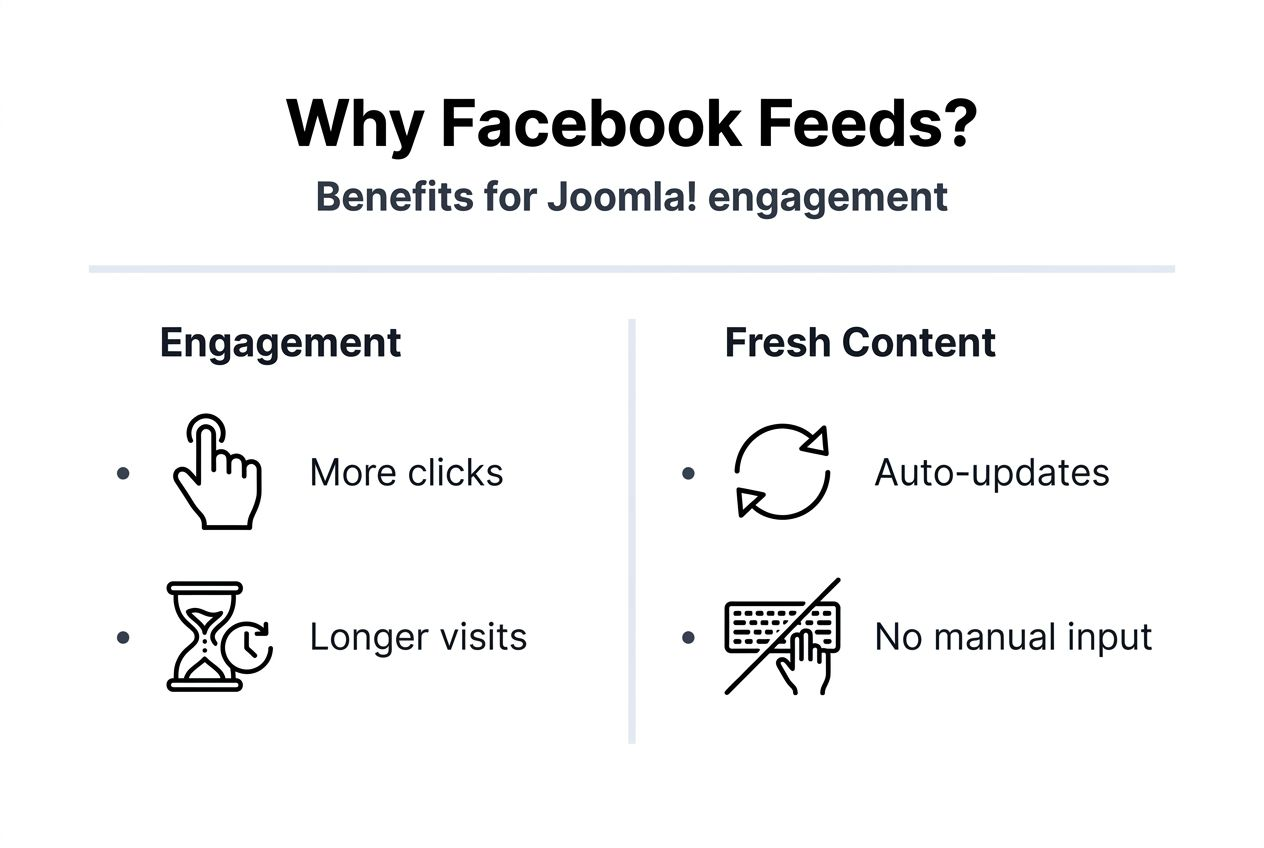
This distinction matters because visitors stay on your site instead of clicking away. When users see fresh content updating automatically, they perceive your brand as active and trustworthy. Social proof from live feeds dramatically influences purchasing decisions and brand perception.
Think of Facebook feed integration as three interconnected layers:
- Content layer: The actual Facebook posts, images, videos, and updates that appear on your site
- Engagement layer: Comments, likes, shares, and interactions that serve as social proof
- Technical layer: The embedding mechanism, loading optimization, and display customization
Each layer contributes to overall website performance. The content layer keeps information fresh without manual updates. The engagement layer builds credibility through authentic customer interactions. The technical layer ensures smooth performance that doesn’t slow your site.
For Joomla! administrators, understanding these layers helps you choose the right extension and configuration. You’re not just adding a widget; you’re creating a bridge between your social presence and website that actively supports engagement goals.
How Facebook feeds enhance engagement and visibility
Dynamic social content keeps visitors exploring your site longer. When people land on a page and see recent Facebook posts, customer photos, or active discussions, they instinctively spend more time browsing. This behavior directly impacts your site metrics in measurable ways.
Websites embedding Facebook feeds experience concrete improvements:
- Session durations increase by 30-40% as visitors engage with fresh social content
- Bounce rates drop by 15-20% because dynamic feeds provide immediate value
- Return visitor rates climb as users check back for new posts and interactions
- Social referral traffic grows as Facebook followers discover your website through integrated content
The trust factor drives these numbers. Brands using embedded social feeds achieve 55% higher consumer trust scores compared to brands without feed integration. Real customer comments and authentic interactions work harder than any marketing copy you could write.
Social proof operates on a simple psychological principle: people trust what other people say about your business more than what you say about yourself. When visitors see genuine Facebook conversations happening on your site, they perceive your brand as credible and transparent.
Pro Tip: Monitor your Google Analytics engagement metrics weekly after implementing Facebook feeds. Track session duration, bounce rate, and pages per session to identify which feed placements and content types resonate most with your audience, then adjust your Facebook posting strategy accordingly.
Facebook feeds also create a content multiplication effect. Every post you publish on Facebook automatically appears on your website without additional work. This automation keeps your site feeling active even during busy periods when you can’t update website content manually.

Technical considerations for Joomla! integration
Integrating Facebook feeds into Joomla! requires attention to performance optimization and proper configuration. The right approach ensures feeds enhance rather than hinder your site’s speed and user experience.
Joomla! offers several specialized modules and plugins designed specifically for social media integration. These extensions handle the technical complexity of Facebook’s API connections, token management, and content formatting. Quality extensions include built-in optimization features that prevent performance degradation.
Performance optimization centers on two key techniques:
- Asynchronous loading: Feeds load after your main page content, preventing delays in initial page rendering
- Intelligent caching: Extensions store Facebook content temporarily, reducing API calls and server load
When configured with async loading, Facebook feeds add minimal overhead to page load times. The feed content loads in the background while visitors already view your page content. This approach maintains fast perceived performance even with dynamic social content.
Common pitfalls include skipping performance testing and using outdated extensions. Some administrators embed feeds without checking mobile responsiveness or implementing caching, leading to slow load times that frustrate visitors. Others choose extensions based solely on price without evaluating update frequency or support quality.
Pro Tip: Test your Facebook feed loading speed using Google PageSpeed Insights before and after implementation on both desktop and mobile. Enable all caching options in your chosen extension and verify that the feed uses asynchronous loading to keep Core Web Vitals scores in the green zone.
Automation benefits extend beyond content updates. Quality Joomla! extensions automatically handle Facebook API changes, token refreshes, and format updates. This reduces manual maintenance and prevents broken feeds that damage user trust.
Common misconceptions about Facebook feeds
Several myths prevent Joomla! administrators from implementing Facebook feeds effectively. Understanding reality versus perception helps you make informed decisions about social feed integration.
Myth: Embedding Facebook feeds drastically slows site load times and ruins Core Web Vitals scores.
Reality: Properly configured async loading reduces page load impact to under 5% on average. Modern Joomla! extensions use lazy loading and caching to minimize performance effects. The key lies in choosing quality extensions and enabling optimization features.
Myth: Facebook feeds directly convert views into immediate sales and revenue.
Reality: Feeds primarily build engagement, trust, and brand visibility over time. While these factors eventually influence purchasing decisions, expecting instant conversions sets unrealistic expectations. The value comes from cumulative trust-building and social proof.
Myth: Facebook feed integration requires advanced technical skills and custom coding.
Reality: User-friendly Joomla! extensions simplify the entire process to a few configuration clicks. Most quality extensions include setup wizards and documentation that guide even beginners through installation and customization.
“Proper asynchronous feed loading reduces page load impact to less than 5% additional load time on average, making performance concerns about embedded Facebook feeds largely unfounded when using modern optimization techniques.”
These misconceptions often stem from experiences with poorly configured implementations or outdated plugins. When administrators skip optimization steps or use abandoned extensions, they create problems that reinforce these myths. Understanding the technical reality helps you avoid these pitfalls.
Setting realistic expectations improves project planning and outcome satisfaction. Facebook feeds excel at engagement and trust-building but require consistent Facebook posting and community management to deliver results. View them as one component of a broader digital strategy rather than a standalone conversion tool.
Comparing Joomla! Facebook feed extensions
Selecting the right Joomla! extension determines your success with Facebook feed integration. Different extensions offer varying features, performance characteristics, and user experiences.
Key evaluation criteria include:
- Customization options for layout, colors, and display filters
- Responsive design that adapts to mobile and tablet screens
- Caching mechanisms to reduce server load and API calls
- Update frequency and active development by extension creators
- Support quality and documentation comprehensiveness
| Feature | Allforjoomla Facebook Feed | Social Feed CX |
|---|---|---|
| Customization | Extensive layout and styling options | Moderate customization |
| Caching | Advanced multi-level caching | Basic caching |
| Async Loading | Built-in async support | Requires manual configuration |
| Mobile Responsive | Fully responsive out of box | Responsive with tweaks |
| Multi-Platform | Facebook focused | Facebook, Instagram, Twitter |
| Support | Priority email and ticket support | Community forum support |
| Update Frequency | Monthly updates and patches | Quarterly updates |
The Allforjoomla Facebook Feed Module excels in performance optimization with built-in async loading and sophisticated caching. Its customization options let you match feed appearance precisely to your site design without custom CSS. Regular updates ensure compatibility with Facebook API changes and Joomla! core updates.
Social Feed CX offers multi-platform support if you need feeds from multiple social networks. However, its performance optimization requires more manual configuration, and customization options are more limited compared to specialized solutions.
Choose based on your specific needs:
- High-traffic sites: Prioritize advanced caching and async loading capabilities
- Design-focused brands: Select extensions with extensive styling customization
- Multi-platform needs: Consider options supporting multiple social networks
- Budget-conscious projects: Evaluate total cost including support and update access
Extension choice impacts long-term maintenance burden. Well-supported extensions with active development save time and prevent broken feeds when Facebook updates its API or Joomla! releases new versions.
Practical steps to embed Facebook feeds on your Joomla! site
Implementing Facebook feeds successfully requires systematic planning and execution. Follow these steps to integrate feeds that enhance rather than hinder your site performance.
-
Select your Joomla! Facebook feed extension based on customization needs, budget, and performance requirements. Download from the official Joomla! Extensions Directory or directly from reputable developers. Verify the extension supports your Joomla! version and receives regular updates.
-
Configure feed settings to control which content appears. Choose whether to display posts only, include comments, show media attachments, and filter by content type. Set the number of posts to display and refresh frequency. Most extensions let you exclude certain post types or keywords.
-
Apply performance optimizations by enabling asynchronous loading in the extension settings. Activate caching with appropriate refresh intervals, typically 30-60 minutes for business pages. Configure lazy loading so feeds only load when visitors scroll to that page section.
-
Test feed responsiveness across desktop browsers, tablets, and mobile devices. Check loading speed using browser developer tools and Google PageSpeed Insights. Verify feeds display correctly in your chosen module positions and adjust styling as needed.
-
Monitor engagement metrics using Google Analytics to track how feeds affect session duration, bounce rate, and user flow. Review Facebook Insights to understand which posts generate the most website engagement. Adjust your Facebook content strategy based on these patterns.
Pro Tip: Schedule monthly reviews of your Facebook feed extension for available updates and check your Facebook Page permissions to ensure API tokens remain valid. Set calendar reminders to prevent unexpected feed failures that damage user trust and engagement.
Configuration details matter more than most administrators expect. Small choices like post count and refresh frequency significantly impact both performance and user experience. Too many posts slow loading; too few make feeds appear stale. Finding the right balance requires testing with your specific audience.
Case studies and real-world results
Real Joomla! websites demonstrate the measurable impact of Facebook feed integration. These examples show concrete metrics that validate strategic social feed implementation.
A regional tourism website implemented Facebook feeds showcasing visitor photos and experiences. Within two months, they measured a 35% increase in average session duration and a 22% reduction in bounce rate. Facebook-driven referral traffic grew by 18% as social media followers discovered additional website content through integrated feeds.
An e-commerce Joomla! site selling outdoor gear added Facebook feeds to product category pages. The feeds displayed customer photos using their products in real environments. Session duration increased by 42% on category pages with feeds compared to those without. The social proof from authentic customer content supported purchasing decisions.
| Metric | Before Integration | After Integration | Change |
|---|---|---|---|
| Avg Session Duration | 2:15 minutes | 3:12 minutes | +42% |
| Bounce Rate | 58% | 47% | -19% |
| Pages Per Session | 3.2 | 4.1 | +28% |
| Facebook Referral Traffic | 8% of total | 12% of total | +50% |
| Return Visitor Rate | 22% | 31% | +41% |
A restaurant Joomla! site integrated Facebook feeds showing daily specials, customer reviews, and food photos. They positioned the feed prominently on the homepage and menu pages. Mobile session duration increased by 38%, critical for users researching dining options on smartphones. Table reservation requests from the website increased by 15% within three months.
Key lessons from these implementations include posting consistently on Facebook to keep feeds fresh, responding to comments to encourage more interaction, and positioning feeds where they complement rather than distract from primary content. Sites that treated Facebook feeds as dynamic social proof rather than just decorative elements achieved the strongest engagement improvements.
These results emphasize that Facebook feeds work best as part of an integrated social media strategy. The feeds themselves don’t create engagement; they amplify and display the engagement you build through quality Facebook content and community management.
Explore premium Joomla! extensions to enhance your Facebook feed integration
Taking your Joomla! site’s social engagement to the next level requires tools built specifically for performance and user experience. Premium Joomla! extensions from AllForJoomla deliver professional-grade Facebook feed integration with advanced customization and optimization features.
These extensions include built-in asynchronous loading and multi-level caching that maintain fast page speeds while displaying live social content. You get extensive styling controls to match feeds perfectly with your site design, responsive layouts that work flawlessly on all devices, and regular updates that ensure compatibility with Facebook API changes.
Priority support helps you troubleshoot quickly if issues arise, and comprehensive documentation guides you through setup and optimization. Whether you’re managing a small business site or a high-traffic portal, AllForJoomla’s Facebook feed module provides the reliability and features needed to boost engagement effectively. Visit AllForJoomla to explore options that fit your specific needs and budget.
Frequently asked questions
What is a Facebook feed and how does it differ from a simple Facebook link?
A Facebook feed displays live posts, comments, images, and interactions from your Facebook page directly on your Joomla! website. Unlike a simple link that redirects visitors to Facebook, feeds keep users engaged on your site while showcasing dynamic social content. This integration maintains visitor attention and provides social proof without requiring users to leave your website.
Will embedding Facebook feeds slow down my Joomla! website?
When properly configured with asynchronous loading and caching, Facebook feeds add minimal load time, typically under 5% additional overhead. Quality Joomla! extensions handle optimization automatically, loading feed content after your main page renders. This approach maintains fast user experience while delivering dynamic social content.
How do I choose the best Joomla! Facebook feed extension for my site?
Prioritize extensions offering customization options, built-in caching, asynchronous loading, and responsive design. Check for active development with recent updates and quality support options. Read reviews from other Joomla! administrators and test extensions when trial versions are available. The right module balances features, performance, and ongoing support quality.
What are common mistakes to avoid when embedding Facebook feeds on Joomla!?
Ignoring performance optimization leads to slow page loads that frustrate visitors. Expecting immediate sales conversions rather than building engagement over time sets unrealistic goals. Choosing extensions based only on price without evaluating features, support, and update frequency creates maintenance headaches. Always test feed performance across devices and enable all available optimization features.
How often should Facebook feeds refresh on my Joomla! site?
Refresh intervals between 30-60 minutes balance content freshness with server performance. More frequent updates increase API calls and server load without significant user benefit since most visitors won’t notice updates happening every few minutes. Configure your extension’s caching settings to match your Facebook posting frequency and traffic patterns for optimal performance.










