
Think modules and plugins are the same thing? You’re not alone. Mixing up Joomla terminology leads to installation headaches, misconfigured extensions, and wasted troubleshooting hours. This guide clarifies essential Joomla terms so you can manage extensions confidently and avoid common setup mistakes that plague beginners and experienced admins alike.
Table of Contents
- Fundamentals of Joomla Industry Terminology
- Common Misconceptions About Joomla Terminology
- Deep Dive Into Joomla Terminology Nuances
- Practical Terminology Applications For Administrators
- Joomla Development Terminology Frameworks
- Terminology And Teamwork In Joomla Projects
- Summary And Next Steps For Mastering Joomla Terminology
- Explore Premium Joomla Extensions At AllForJoomla
- FAQ
Key takeaways
| Point | Details |
|---|---|
| Clear terminology cuts errors | Understanding Joomla terms reduces configuration mistakes and speeds up troubleshooting by 25%. |
| Components, modules, plugins differ | Each extension type serves distinct architectural roles that require specific handling. |
| Event system drives plugins | Joomla’s trigger-based event system enables dynamic, context-aware plugin behavior. |
| MVC framework shapes development | Model-View-Controller architecture terminology is essential for building Joomla components. |
| Precise language improves teamwork | Shared terminology accelerates collaboration and reduces project delays. |
Fundamentals of Joomla industry terminology
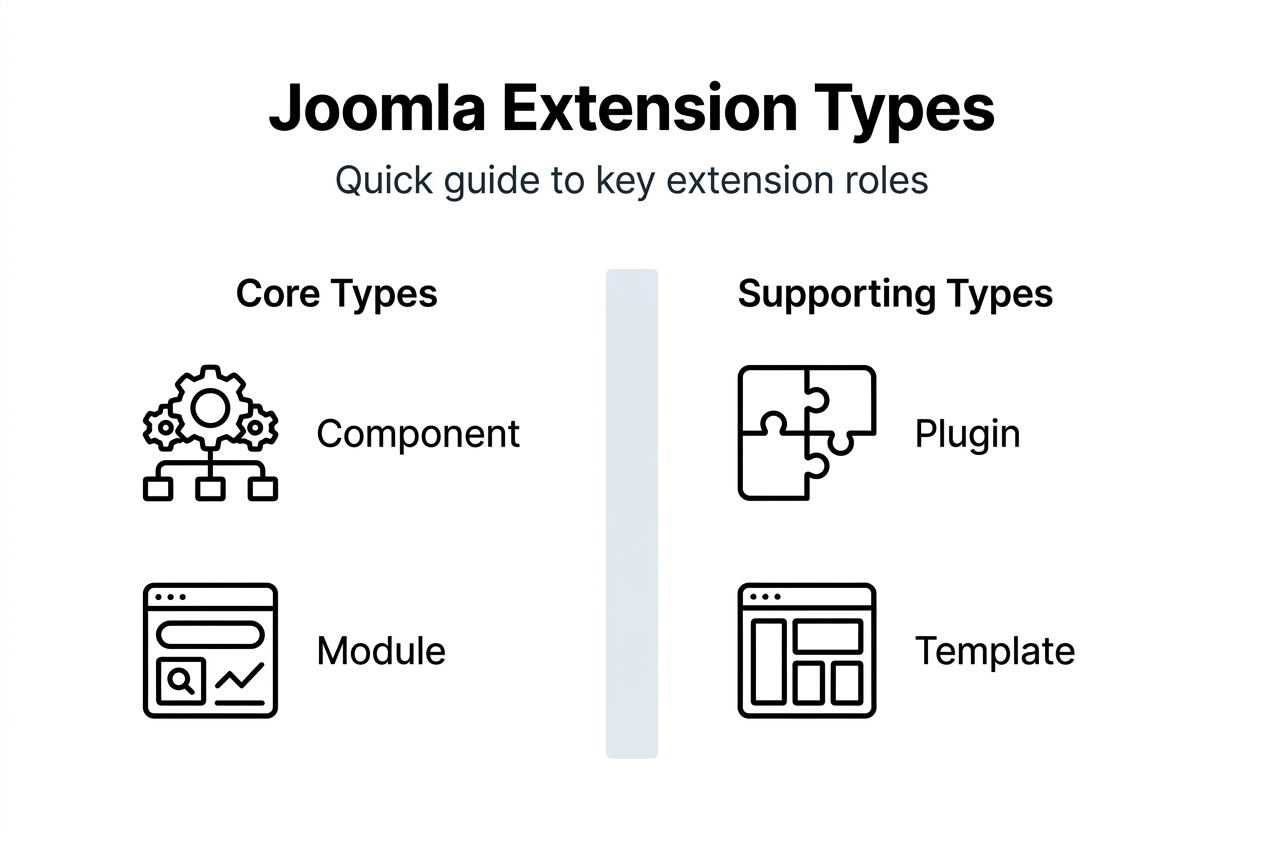
Joomla’s architecture relies on four core extension types that work together to power your website. Components are the heavy lifters, full-featured applications like contact forms or e-commerce systems that include both frontend displays and backend administration interfaces. Modules are lightweight content blocks that display in specific positions on your pages, such as sidebars or footers. Plugins respond to system events to modify behavior or add functionality without dedicated interfaces. Templates control your site’s visual appearance and layout structure.
These extension types fit into Joomla’s layered architecture differently. Components occupy the main content area and handle complex data operations. Modules attach to template positions and display targeted information. Plugins work behind the scenes, triggering automatically based on system events. Templates wrap everything in your chosen design.
Mastering this vocabulary isn’t academic. Understanding Joomla terminology enables faster debugging and extension development, with reported efficiency gains of up to 25% among professional developers. When you know exactly what each term means, you troubleshoot faster, communicate clearer with developers, and configure extensions correctly the first time.
Here are essential Joomla terms every administrator should know:
- Extension: Any add-on that extends Joomla’s core functionality, including components, modules, plugins, templates, and languages
- Backend: The administrative area where you manage your site’s content and settings
- Frontend: The public-facing side of your website that visitors see
- Position: A designated location in your template where modules can be displayed
- Override: A customized version of a core or extension file that preserves changes during updates
- Menu item: A navigation link that connects to specific content or component views
Exploring premium Joomla modules and components becomes much easier when you understand these foundational terms and how they relate to your site’s architecture.
Common misconceptions about Joomla terminology
The biggest confusion? Treating modules and components as interchangeable. Components are standalone applications with their own administration panels and complex functionality. Modules are display units that show content in template positions. You can’t swap them because they serve completely different architectural purposes.
Another widespread myth claims modules operate independently of all other extensions. Many modules actually depend on components for their data. A testimonials module might pull content from a reviews component. A social feed module needs its corresponding component installed to function. Ignoring these dependencies leads to broken displays and frustrating troubleshooting sessions.
These terminology mistakes create real problems in daily Joomla management:
- Installing a module when you need a component results in missing functionality
- Attempting to assign modules to non-existent positions wastes configuration time
- Misunderstanding plugin triggers causes events to fire at wrong moments
- Confusing template styles with template files leads to lost customizations during updates
The consequences compound quickly. You might spend hours troubleshooting why a “module” won’t display backend settings, only to realize you actually needed a component. Or you publish a module to every page when you meant to restrict it to specific menu items, creating performance issues.
Pro Tip: Always verify extension documentation for correct term usage before installation. If documentation calls something a component but only describes display features, double-check the extension type to avoid configuration errors.
Understanding these distinctions transforms your relationship with Joomla components and plugins, turning frustrating guesswork into confident administration.
Deep dive into Joomla terminology nuances
Templates play a dual role that trips up many users. A template package includes layouts for both frontend visitor experiences and backend administrator interfaces. You can assign different templates to each side, giving your admin area a distinct look while maintaining your public brand. Template styles let you create variations of the same template with different parameters, enabling multiple designs from one installation.

Joomla’s event system uses specific terminology that governs plugin behavior. Triggers are named events that fire during system operations, like "onContentBeforeDisplayoronUserAfterSave`. Plugins subscribe to these triggers and execute code when events fire. This event-driven architecture allows extensions to modify Joomla’s behavior without altering core files.
The Model-View-Controller (MVC) framework structures Joomla components with clear terminology. Models handle data and business logic, interacting with the database. Views prepare data for display and load templates. Controllers coordinate user interactions, processing requests and calling appropriate models and views. Understanding this separation helps you navigate component code and customize functionality effectively.
| Feature | Component | Module | Plugin |
|---|---|---|---|
| Has backend interface | Yes | Sometimes | Rarely |
| Displays in main content | Yes | No | No |
| Requires template position | No | Yes | No |
| Responds to system events | No | No | Yes |
| Can include sub-extensions | Yes | No | No |
Grasping these nuances delivers practical benefits. You’ll know whether to create a plugin or module for custom functionality. You’ll understand why some extensions require specific installation order. You’ll troubleshoot faster by identifying which extension type controls specific behavior. These distinctions separate administrators who struggle with Joomla from those who wield it confidently.
Comparing Joomla extension types becomes intuitive once you internalize these architectural differences and recognize how each piece fits Joomla’s overall structure.
Practical terminology applications for administrators
Correct term usage directly reduces configuration errors. When you request help in forums using precise terminology, developers understand your issue immediately instead of asking clarifying questions. When you read documentation that mentions “template overrides,” you know exactly where to look in your file structure. This precision saves hours of back-and-forth communication.
Follow these steps to improve extension installation success:
- Read the extension description carefully to identify its type (component, module, plugin, or package)
- Check system requirements and dependencies listed in documentation
- Install components before their dependent modules or plugins
- Verify the extension appears in the correct administrator menu location for its type
- Configure settings in the appropriate interface (component options, module parameters, or plugin settings)
- Test functionality on a staging site before deploying to production
Shared terminology improves developer communication in powerful ways. You can describe problems accurately: “The module isn’t displaying in the sidebar position” conveys more than “The thing won’t show up.” You can request specific help: “Can you check if the plugin is enabled and assigned to the correct trigger?” Developers spend less time diagnosing and more time solving.
Pro Tip: Keep the official Joomla documentation glossary bookmarked during setup and troubleshooting sessions. Cross-referencing terms ensures you’re using language that matches system behavior, reducing miscommunication and speeding up problem resolution.
Managing websites effectively requires understanding essential website management tools alongside Joomla-specific terminology that governs how your CMS operates.
Joomla development terminology frameworks
The MVC architecture provides specific terminology that guides component development. Models contain business logic and database queries, keeping data operations separate from presentation. Views receive data from models and pass it to template files for rendering. Controllers handle routing and user input, deciding which model and view to invoke. This separation enables code reusability and easier debugging.
Event-driven programming terminology shapes how plugins interact with Joomla. Event dispatchers broadcast triggers at specific points in code execution. Event listeners (plugins) register for specific triggers and execute when those events fire. Event objects carry data between the dispatcher and listeners, allowing plugins to access and modify information in context. Priority determines execution order when multiple plugins respond to the same trigger.
Understanding these frameworks accelerates debugging because you know where to look. Display problems? Check views and templates. Data issues? Examine models. Functionality not triggering? Verify plugin event assignments. This terminology creates a mental map of Joomla’s architecture, enabling faster debugging and cleaner code.
Key development terms every Joomla developer should master:
- Namespace: Organizational structure for PHP classes that prevents naming conflicts
- Helper class: Utility code that provides reusable functions across an extension
- Layout: Template file that controls how specific data displays in a view
- Form field: Input element defined in XML that Joomla renders automatically
- Table class: Database abstraction that handles CRUD operations for specific tables
- Access level: Permission setting that controls who can view or modify content
Terminology mastery leads to maintainable code. When you name classes, methods, and variables using Joomla conventions, other developers understand your code instantly. When you structure extensions following MVC patterns, updates and debugging become straightforward. This shared language reduces bugs and accelerates development cycles.
Diving into Joomla development terminology frameworks reveals how architectural patterns and naming conventions work together to create robust, maintainable extensions.
Terminology and teamwork in Joomla projects
Precise terminology transforms team communication from vague to actionable. Instead of saying “the social media thing isn’t working,” you can specify “the Instagram feed module isn’t loading images.” Your developer knows immediately which extension to check, which logs to review, and which API connections to verify. This specificity cuts troubleshooting time dramatically.
Terminology clarity directly impacts project timelines. When everyone uses consistent language, requirements documents become clearer, reducing scope creep from misunderstood features. Code reviews move faster because developers speak the same technical language. Handoff between team members happens smoothly because documentation uses standard terms everyone recognizes.
Real project examples demonstrate this impact. A marketing agency reduced their average Joomla project timeline by three weeks after implementing a terminology style guide. Developers and designers stopped debating whether a feature should be a module or component because everyone understood the architectural differences. Client approvals accelerated because proposals used precise terminology that set accurate expectations.
Teamwork best practices for standardizing terminology:
- Create a project glossary defining key Joomla terms for all team members
- Use Joomla’s official terminology in all documentation and communication
- Include terminology training in onboarding for new team members
- Reference the Joomla docs when terminology questions arise during meetings
- Establish naming conventions for custom extensions that follow Joomla patterns
Terminology drives effective documentation and knowledge transfer. When your team documents a custom component using standard MVC terminology, future developers understand the structure immediately. When you write admin guides using correct Joomla terms, training new staff becomes straightforward. This consistency compounds over time, creating institutional knowledge that survives team changes.
Summary and next steps for mastering Joomla terminology
You’ve learned the essential distinction between components (full applications with backend interfaces), modules (lightweight display blocks in template positions), and plugins (event-driven functionality without dedicated interfaces). Templates control visual presentation for both frontend and backend. This foundation prevents the configuration mistakes that plague administrators who treat these extension types interchangeably.
The practical benefits of precise terminology extend beyond avoiding errors. You troubleshoot faster by knowing exactly which extension type controls specific behavior. You communicate more effectively with developers using shared technical language. You configure extensions correctly the first time because you understand architectural requirements. These advantages compound across every Joomla project you manage or develop.
Actionable next steps for continuing your terminology mastery:
- Practice identifying extension types when browsing the Joomla Extensions Directory
- Consult official Joomla documentation whenever you encounter unfamiliar terms
- Join Joomla community forums and observe how experienced users describe technical issues
- Review your existing site’s extensions and verify you understand each one’s architectural role
- Create a personal glossary documenting terms you’ve learned and their practical applications
Staying current with Joomla terminology requires ongoing engagement. The Joomla documentation team regularly updates glossaries as the platform evolves. Community blogs and development resources introduce new patterns and conventions. Following these sources ensures your terminology knowledge grows alongside Joomla itself.
Consistent terminology use creates a positive feedback loop in your Joomla work. The more precisely you communicate, the faster you resolve issues. The faster you resolve issues, the more complex projects you can tackle. The more projects you complete successfully, the deeper your expertise becomes. This cycle transforms terminology from boring vocabulary into a practical tool for Joomla mastery.
Explore premium Joomla extensions at AllForJoomla
Now that you understand Joomla terminology, you can evaluate extensions with confidence. AllForJoomla offers specialized Joomla modules, components, and plugins designed for social media integration, review collection, and multimedia display. Each extension includes clear documentation using precise Joomla terminology, so you’ll know exactly what you’re installing and how to configure it.
Well-documented extensions eliminate the guesswork from configuration and customization. You’ll find explicit descriptions of module positions, component settings, and plugin triggers. Installation instructions use standard Joomla terminology, making setup straightforward even for complex integrations.
Key benefits of choosing extensions with clear terminology:
- Guaranteed compatibility with current Joomla versions eliminates version conflicts
- Responsive support team that speaks your technical language and understands your architecture
- Easy integration following Joomla best practices and naming conventions
- Regular updates that maintain compatibility as Joomla evolves
Pro Tip: Extensions with comprehensive documentation using proper Joomla terminology signal professional development practices. Clear term usage in docs typically indicates clean code, good architecture, and reliable support.
Visit AllForJoomla to explore premium Joomla modules and extensions that complement your terminology knowledge. Browse AllForJoomla apps designed to help you implement social media integrations, review displays, and multimedia galleries with confidence backed by your improved understanding of Joomla’s architecture.
FAQ
What is the difference between a Joomla component and a module?
Components are main functional units with backend administration interfaces that handle complex operations like contact forms or e-commerce. Modules are lightweight content display blocks that show information in specific template positions like sidebars or headers. Components occupy the main content area while modules attach to designated positions throughout your template.
How does Joomla’s event system affect plugin behavior?
The event system uses triggers that fire at specific points during Joomla’s execution, like before content displays or after user login. Plugins subscribe to these triggers and execute code automatically when events fire. This enables dynamic, context-sensitive extension behavior without requiring manual intervention or core file modifications.
Why is understanding Joomla terminology important for troubleshooting?
Correct terminology helps you identify problem areas quickly by knowing which extension type controls specific functionality. It streamlines communication with developers who can diagnose issues faster when you describe problems precisely. Proper term usage also reduces configuration errors during setup, preventing many common problems before they occur.
Can a Joomla module function without a component?
Some modules operate independently, displaying static content or system information without component dependencies. However, many modules require components to provide their data, like testimonial modules pulling from review components. Always check module documentation for dependencies before installation to avoid missing functionality.
What does MVC mean in Joomla development?
MVC stands for Model-View-Controller, the architectural pattern Joomla uses for components. Models handle data and database operations, views prepare information for display, and controllers coordinate user interactions. This separation organizes code logically, making components easier to develop, debug, and maintain over time.










